AI Video
Video to Video AI: Transform Existing Footage
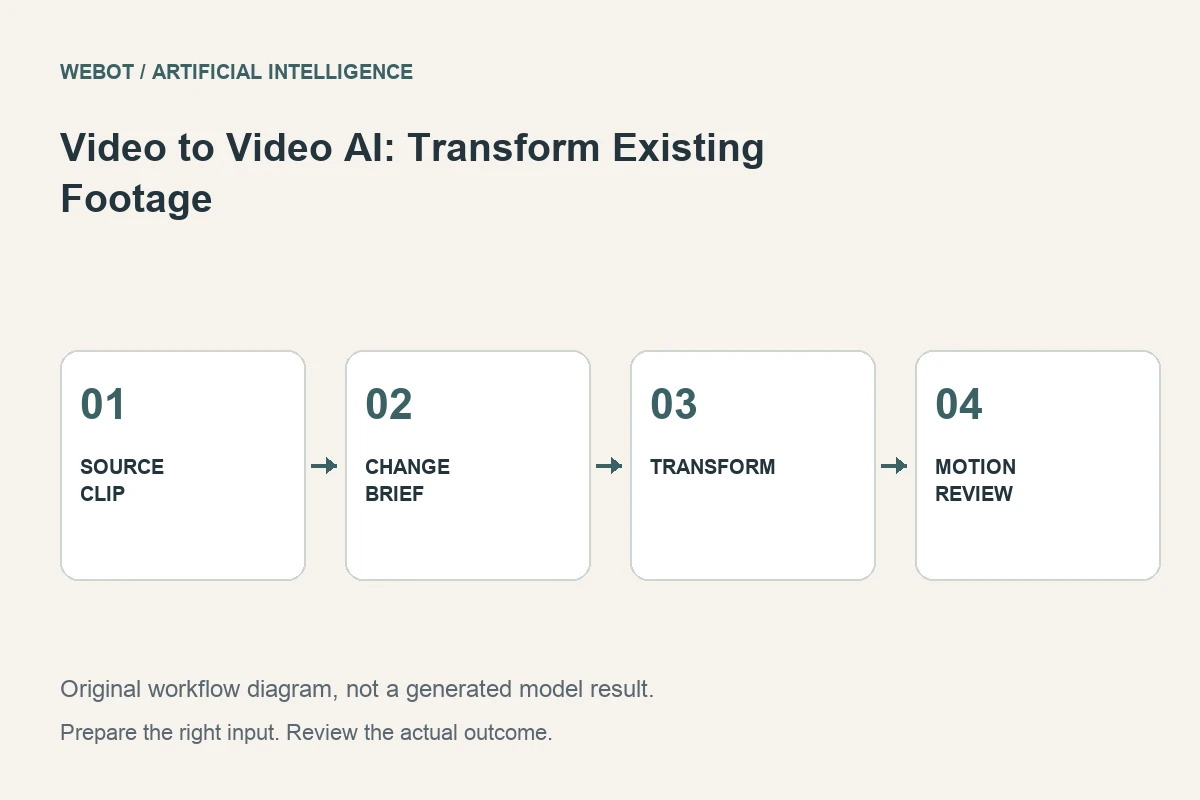
Video to video artificial intelligence uses an existing clip to guide a transformed moving sequence. The source may carry action, timing, composition, or other information defined by the selected workflow. The useful question is not simply whether the output looks different. It is whether the transformation preserves the properties the project needs while changing the ones you intended to change.
Imagine a fictional studio turning its own rehearsal footage into a stylized illustration for a performance announcement. The movement matters, but the original room does not. This guide explains how to separate those requirements, prepare the clip, compare candidates, and recognize when conventional editing is the more dependable method.
1. Identify the transformation you actually need
Write a sentence describing the change and another describing what must remain recognizable. For the rehearsal example, the desired change is an illustrated visual treatment; the important constant is the performer’s broad movement. These requirements are different from removing a background, changing one object, or generating a new shot from a reference picture.
Endpoint names can hide meaningful differences. A video editing workflow and a style transformation workflow may expose different inputs and preserve different properties. Check the actual documentation and current workspace before treating them as interchangeable. If the task is an exact color adjustment or a precise crop, an ordinary editor may provide clearer control without synthesizing the rest of the scene.
2. Choose a source that makes the intended action readable
Inspect the input before generation. Heavy compression, rapid cuts, motion blur, and severe occlusion can make the important action difficult to interpret. A clean, representative segment is usually a better test than a whole sequence containing several unrelated scenes. Keep the original file separately so you can compare the result without guessing what the source contained.
In the rehearsal project, choose a continuous passage where the performer remains visible. Review the beginning and end as potential edit boundaries. If the source contains information that should not appear in the finished asset, decide whether to remove it beforehand or choose a different shot. Do not assume that a general transformation instruction reliably removes every unwanted background detail.
3. Describe the change in visual terms
An example direction could ask for a restrained painted illustration, a limited color palette, simplified background shapes, and a readable outline around the performer. The instruction should explain what the new treatment looks like. A phrase such as make it artistic leaves the model to decide which features to emphasize and which ones to replace.
Keep motion and appearance instructions compatible. Asking for the same movement while also requesting a completely different camera viewpoint can create competing requirements. Start with a transformation that leaves the shot’s basic structure understandable. If the selected endpoint provides a strength or guidance control, read what it actually means rather than assuming that a larger number always preserves more of the source.
4. Verify inputs and output requirements
Check the current accepted media format, duration, resolution, and required fields. These constraints belong to the selected model or endpoint, not to video to video AI as a universal category. A provider catalogue can help you research options, while the active WeBot workspace determines which inputs and controls are available for your request.
Plan the destination before generating. A vertical announcement may require a different crop from a widescreen performance montage. If you prepare a crop, make sure it preserves the movement the model needs to interpret. Keep a record of any source edits, because a defect already present in the prepared input should not later be mistaken for something introduced by generation.
5. Compare motion and appearance separately
Watch the output once for its visual treatment, then compare the movement with the source. Look for altered body proportions, slipping contact with the floor, inconsistent object positions, and changes that interrupt the intended performance. A compelling style does not compensate for an action that now communicates a different event.
Use a short review rubric: action readability, temporal stability, consistency of the treatment, and usefulness in the final edit. Inspect transitions where a limb crosses another part of the body or the performer turns away. A thumbnail cannot reveal these problems. Save timestamped observations so the next revision addresses a visible issue rather than a vague desire for a more polished result.
6. Revise according to the observed failure
If the movement becomes unstable, test a simpler treatment or a cleaner source passage. If the style changes between frames, reduce contradictory visual instructions. If the transformation repeatedly invents important details, reconsider whether the task should be split into separate operations. A local edit can sometimes solve one problem more reliably than regenerating the entire clip.
Change one important variable at a time and preserve the earlier candidate. Generative variation makes this an editorial comparison, not a claim of perfect experimental reproducibility. The notes still matter: they connect a change in the brief with the result you inspected. Repeating the same failed request without identifying a different hypothesis usually provides little useful production knowledge.
7. Treat sound as its own production decision
Confirm whether the workflow returns audio and what happens to the original soundtrack. A visual transformation should not silently become an assumption about sound preservation. Listen to the exported result and decide whether the rehearsal audio, a separate music track, narration, or silence best supports the announcement.
If you replace sound in an editor, check synchronization and the boundaries of the used passage. A visible action can feel wrong when an impact or movement sound no longer matches it. Keep the transformed source clip separate from the final edited master. This makes it easier to revise the sound or shorten the sequence without confusing an intermediate asset with the approved deliverable.
8. Finish with an honest production handoff
Record the authorized source, prepared input, prompt, selected settings, and approved output. Describe the transformation to collaborators so synthesized details are not mistaken for documentary footage. If the project represents a real product, person, or performance, review any implied claims against what the actual source establishes.
Before a WeBot request, inspect the current credit estimate and supported workflow. Keep accepted jobs pending through temporary connection interruptions rather than submitting ambiguous duplicates. The finished project should demonstrate a useful transformation: a clear source action, a deliberate new treatment, a complete motion review, and an edit that serves the audience. That is more valuable than changing footage merely because artificial intelligence can produce a different version.
Sources and further reading
Put the guide into practice
Browse available workflows, review their supported inputs and choose a workspace for your next project.
Explore AI models