AI Video
AI Video Extension: Continue a Shot
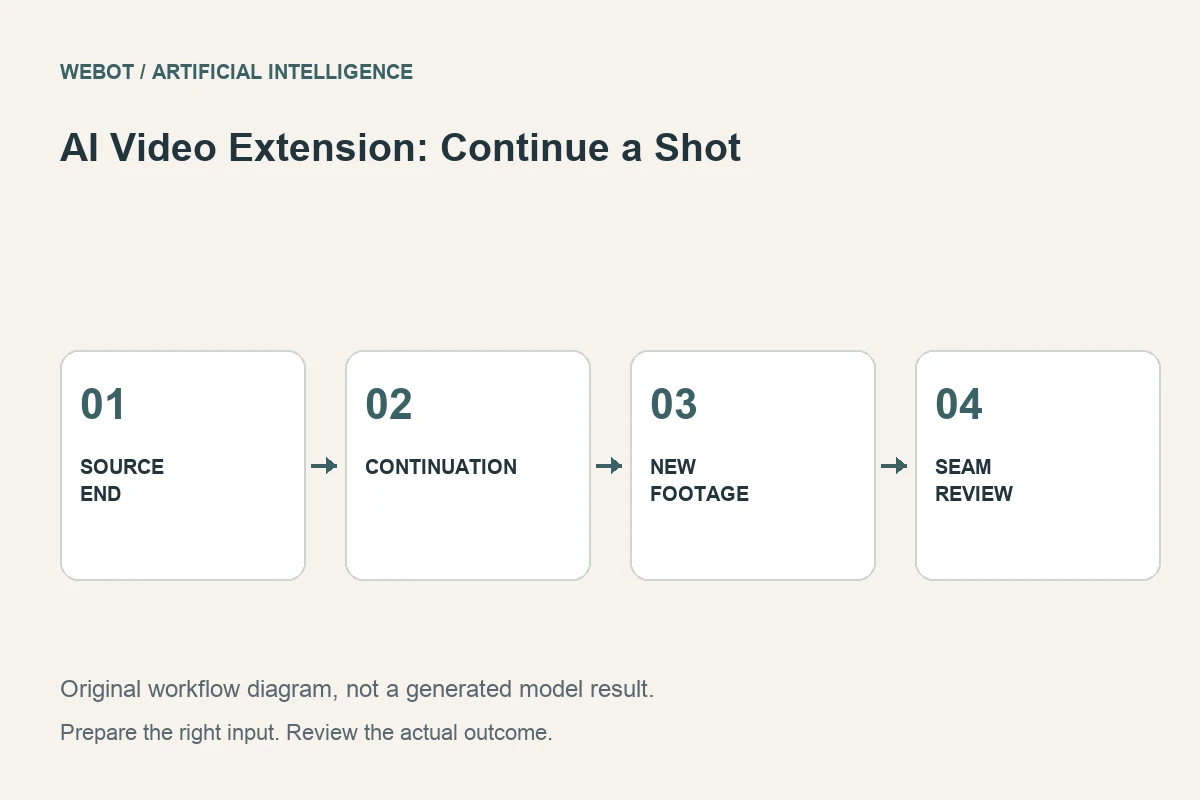
AI video extension generates additional moving material around an existing clip in a workflow that supports continuation. It can help create breathing room for an edit, complete a visual action, or explore how a scene might continue. It is different from slowing the original file or repeating its final frames: new visual information may be synthesized.
Consider an imaginary travel montage whose last landscape shot ends just before a title needs to appear. The editor wants a brief continuation of the same scene, not a new destination. This guide explains how to plan that extension, prepare the relevant boundary, evaluate continuity, and decide whether the added material belongs in the final sequence.
1. Define the purpose of the extra time
Start with the edit problem. Does the title need room to be read? Must an existing movement settle naturally? Is the goal a transition into another shot? These reasons lead to different directions. An extension requested without a clear purpose can produce additional footage that still fails to solve the original timing issue.
For the travel montage, the acceptance brief can be simple: preserve the landscape’s identity, continue the existing camera direction gently, and leave a stable area for the title. The project does not require a dramatic new event. Write these requirements before selecting a model so you can judge the usefulness of the continuation rather than merely its duration.
2. Read the exact continuation contract
Some workflows extend after a source clip; others may support different placement or additional conditioning. Verify the selected endpoint’s current behavior, accepted media, and available controls. A model family offering video generation does not imply that every variant can extend uploaded footage. A provider’s capability also does not establish that the same operation is currently available in your WeBot workspace.
Check which source information the operation uses and how the returned file should be interpreted. Does it contain the new section, the combined sequence, or another documented result structure? Treat that answer as part of the editing workflow. Guessing can lead to duplicated material, a missing source section, or an incorrect comparison between files.
3. Choose a boundary that supports continuation
Inspect the source near the point you want to extend. A sudden cut, heavy blur, or a subject entering at the last instant can make the desired continuation ambiguous. When possible, test a clear continuous shot whose lighting, camera direction, and main objects are understandable. Save an untouched original alongside the prepared input.
In the landscape example, note the horizon, major landmarks, movement direction, and any moving foreground elements. These properties form a continuity reference. If you trim the input, verify that the new boundary still represents the intended scene. Preparing a source is an editorial decision, not just a technical requirement for satisfying an upload field.
4. Prompt the continuation rather than a new film
Describe what should happen next in relation to the existing shot. A practical direction might request a gentle continuation of the camera’s current movement, stable distant landmarks, the same daylight atmosphere, and no major new action. Use language that supports the transition instead of replacing the scene with an unrelated idea.
Avoid asking for several competing developments in a short extension. A dramatic camera turn, a new subject, and a change of weather can each make the seam harder to maintain. If the story genuinely needs a different scene, a separate generated shot and an intentional cut may be more appropriate than disguising that change as a continuous extension.
5. Review the join as the main quality checkpoint
Watch the original ending and the generated continuation together. Look for jumps in camera speed, horizon position, lighting, object identity, and motion direction. A visually attractive new section can still be unusable if the join calls attention to itself. Inspect the seam at normal speed before examining individual frames.
Then review the continuation on its own. Landmarks can change gradually after a convincing first moment, and the final section may introduce new artifacts. Record whether a problem occurs at the join or later in the generated passage. These are different failures and may require different revisions. Do not approve the result from a single frame that happens to match the source.
6. Compare extension with ordinary editing options
Sometimes the best answer is a freeze frame, a shorter title, an earlier title entrance, a different shot, or a deliberate cutaway. These alternatives may preserve factual details and visual identity more reliably. AI extension is useful when synthesizing a plausible continuation serves the project, not when every timing problem must be solved through generation.
For the travel montage, test the title on the available original footage before extending it. A small layout or pacing change may already solve the problem. If the extension adds value, use the shortest useful portion and review it in the surrounding sequence. Extra footage is not inherently better footage; the edit should determine what remains.
7. Keep audio and timing aligned
Verify how the chosen workflow handles audio instead of assuming that the source soundtrack continues correctly. A visual extension can outlast the original ambience or music cue. Decide whether to add a separate sound bed, adjust the edit, or use a workflow that supports the required audiovisual behavior.
Listen across the join after assembling the final sequence. A smooth picture transition can still feel abrupt when the sound changes. Check captions, music timing, and any title animation against the exported file. Keep the original clip, generated material, and edited master clearly named so a later editor can understand which portion was synthesized and which timing decisions belong to the final cut.
8. Save evidence and publish only the useful result
Retain the source boundary, prompt, selected settings, and approved continuation. Describe any remaining limitations in the handoff. If the scene represents a real place or event, synthesized details should not be presented internally as proof of what actually happened after the original recording ended. The production record should make that distinction easy to recover.
In WeBot, review the current request estimate before dispatch and keep an accepted request recoverable while it is pending. A browser interruption does not establish failure or justify an ambiguous duplicate. A successful video extension is a purposeful addition that maintains the scene’s logic, survives a seam review, and improves the finished edit. The goal is continuity that serves the viewer, not simply a longer file.
Sources and further reading
Put the guide into practice
Browse available workflows, review their supported inputs and choose a workspace for your next project.
Explore AI models