AI Video
AI Camera Movement and Shot Design
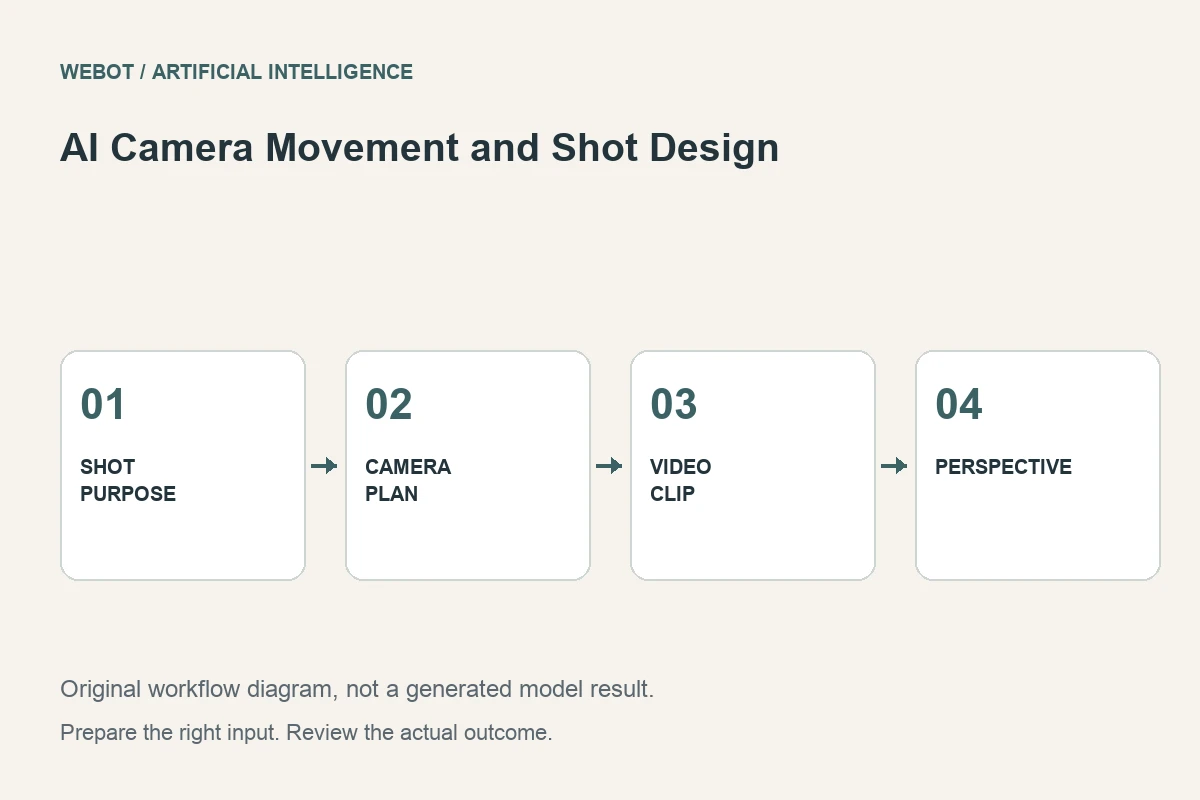
Camera movement changes what a viewer notices and how a scene feels. In AI video generation, it also changes how much unseen information the model must synthesize. A slow push toward a subject and a full orbit around it are not merely different style words. They create different demands on perspective, continuity, and the appearance of hidden surfaces.
Consider a fictional promotional shot of a handcrafted lamp on a desk. The team wants viewers to notice its materials and silhouette. This guide explains how to select a camera intention, express it clearly, assess the generated motion, and avoid confusing apparent movement with a useful piece of storytelling.
1. Give the movement a communication purpose
Ask what the viewer should learn or feel because the camera moves. A gentle push can emphasize a detail. A lateral move can reveal a relationship between objects. A wider view can establish context. Movement without a purpose can distract from the subject or make the clip harder to combine with other footage.
For the lamp, the purpose might be to reveal the texture of its shade while keeping the overall design recognizable. That calls for a restrained movement and a suitable starting composition. It does not automatically call for an orbit, a dramatic zoom, and a focus change together. Choose the shot’s job before selecting the language used to describe it.
2. Distinguish camera motion from subject motion
A moving subject with a steady camera creates a different visual problem from a stationary subject with a moving camera. If both move, their relationship needs to remain understandable. A lamp that appears to rotate while the camera also circles can become difficult to evaluate because the intended source of the changing perspective is unclear.
State which element moves and which stays fixed. For example, the lamp remains still while the camera slides slowly from left to right. This is more useful than requesting dynamic movement. If the selected workflow uses an input image, remember that the image may not show every surface revealed by the move. The model must invent those surfaces unless additional supported information constrains them.
3. Use plain, observable direction
A practical prompt can specify a steady lateral move, a medium product framing, controlled speed, and a stable horizon. It can also explain what should remain visible, such as the lamp’s full silhouette. These details help distinguish a useful move from camera activity that happens to look energetic.
Avoid mixing incompatible instructions. A fixed viewpoint and a continuous orbit do not describe the same simple shot. Words such as cinematic can supplement the brief, but they do not replace a clear direction. If you use specialist terminology, make sure your team agrees on its meaning and the selected model’s actual output matches that meaning rather than assuming the term guarantees a precise physical camera path.
4. Match complexity to available scene information
A large viewpoint change exposes more of the subject and environment. That increases the amount of geometry, texture, lighting, and occlusion the model must keep coherent. A small move can therefore be a better starting test when product identity is important or the source provides only one view.
Inspect the background as well as the main object. The desk edge, window, and wall can reveal perspective errors even when the lamp looks stable. Simplify the staging if unrelated background details compete for attention. The goal is not to make every shot minimal; it is to choose complexity deliberately so the generated movement serves the brief instead of becoming an uncontrolled display of changing details.
5. Verify the controls rather than assuming a trajectory
Some models expose explicit motion controls, while others rely on prompt interpretation or different conditioning. Check the selected endpoint’s current documentation and workspace. A setting with a familiar label may have different semantics across models, and a model family’s marketing description does not define every variant’s input contract.
On WeBot, use the actual supported fields and current availability. Save the prompt and settings with the result so another reviewer knows which controls were used. Avoid promising an exact camera trajectory unless the workflow and your evidence establish it. A visually plausible simulated move is not automatically equivalent to a physically measured camera movement in a real scene.
6. Review speed, perspective, and continuity together
Watch the clip at normal speed and ask whether the movement directs attention appropriately. Then inspect the subject’s shape, background geometry, reflections, and contact with surfaces. A smooth camera move can still contain a changing lampshade or a desk that bends as the viewpoint shifts.
Pay attention to acceleration and stopping behavior. A sudden speed change may make the shot difficult to edit, while a cut at the wrong moment can make an otherwise useful movement feel abrupt. Record the defect and its timing. Distinguish a motion problem from a design problem: the camera may move coherently yet reveal an angle that does not communicate the product well.
7. Revise one movement decision at a time
If the shot feels busy, reduce the camera activity before changing the entire scene. If perspective breaks during a large turn, test a smaller angle change or use additional supported references. If the move starts too close, revise the framing. Each adjustment should address an observation from the previous candidate.
Keep earlier outputs and version the associated instructions. Generative systems can vary even when inputs remain similar, so this is a disciplined creative comparison rather than a guarantee of reproducibility. A useful revision note explains what you changed and why. Simply asking for a more professional or more cinematic result gives little guidance about the actual visual failure.
8. Choose the portion that supports the edit
The strongest part of a generated camera move may be shorter than the complete returned clip. Trim deliberately and check how the shot enters and exits the surrounding sequence. Add accurate product text in an editor where needed, leaving it readable rather than making the camera fight with the graphic layout.
Review the exported audiovisual file and retain the production record. Check current estimates before paid generation and avoid duplicate accepted requests during temporary connection problems. Good AI camera design begins with an audience purpose and ends with a reviewed shot that fulfills it. The most useful movement is the one that helps the viewer understand the subject, not necessarily the one that changes the viewpoint most dramatically.
Sources and further reading
Put the guide into practice
Browse available workflows, review their supported inputs and choose a workspace for your next project.
Explore AI models