Information Technology
Twilio Explained: A Practical Guide to Messaging, Voice APIs and Delivery Workflows

Twilio provides communication tools that developers can use to build messaging and voice experiences. The useful result is not merely that an application can make an API request. It is that the right person receives an understandable communication, can respond appropriately and is treated according to the preferences and permissions that apply to the interaction. Delivery, consent, support and operational evidence therefore belong in the project from the beginning.
This independent guide explains how to think about a Twilio messaging or voice project before moving from a test to normal use. It covers sender planning, message requests, incoming events, delivery callbacks, voice interactions and practical review. The examples are fictional and do not establish a legal or commercial recommendation for a particular organisation. Product availability, sender requirements, destination rules and pricing can change, so confirm the current Twilio documentation for the exact channel and market you intend to use.
1. Start with the customer journey
Define what the communication helps the recipient do. An appointment reminder, a delivery update, a support reply and a promotional announcement serve different purposes. Each needs appropriate wording, timing and handling of replies. A fictional repair business might want to remind a customer about a confirmed visit. Its successful outcome is that the person understands the appointment and knows how to request a change, not simply that an API call returns successfully.
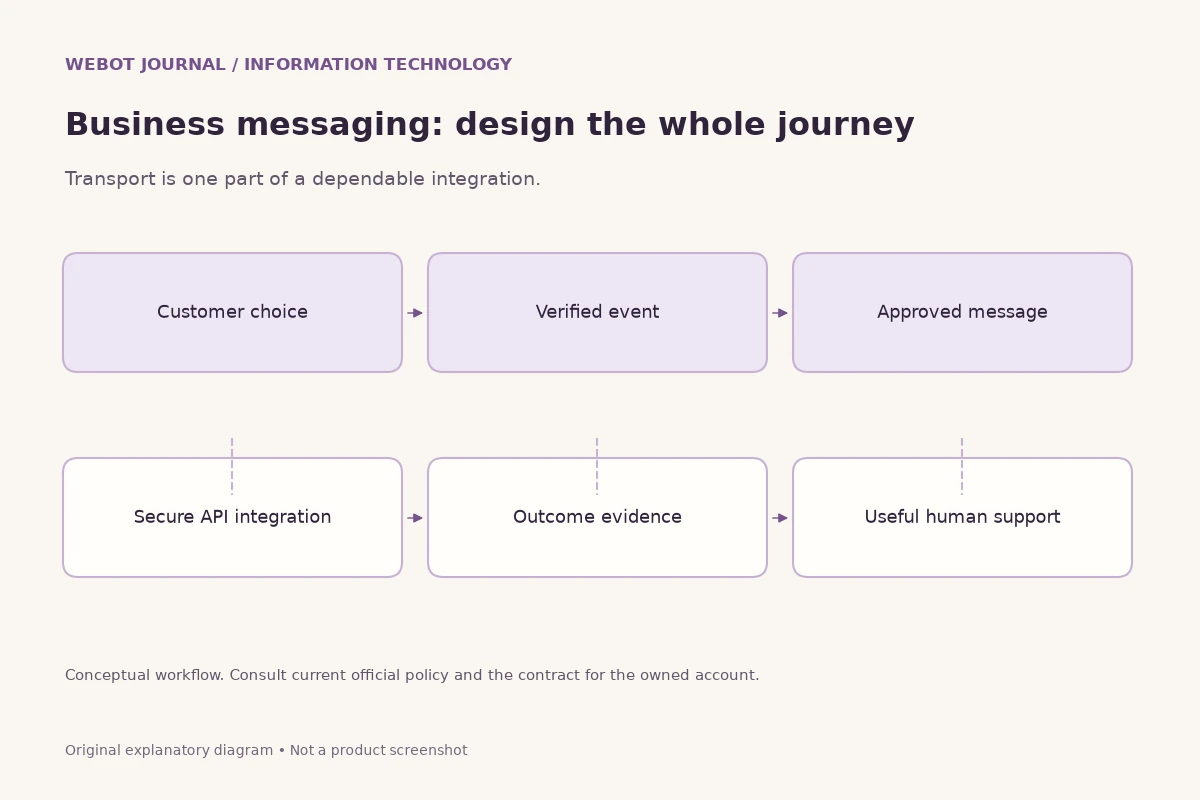
Draw the whole journey before choosing implementation details. Record what triggers the message, who receives it, what information it contains and what happens when the person replies. Also decide what should happen if delivery fails or the appointment changes. This exposes gaps that are easy to miss when a team focuses only on sending. The communication should fit an existing service process rather than becoming an isolated technical event that nobody owns after it leaves the application.
2. Choose the channel according to the interaction
A communication channel has characteristics that affect the experience. A short message can be useful for a concise update, while a voice interaction can help with a guided conversation. Richer messaging features depend on the selected channel and its supported capabilities. Review those capabilities in the current product documentation instead of assuming that one message design works identically everywhere. The recipient's context matters as much as the sender's convenience.
For a fictional appointment service, a clear written reminder may be easier to revisit than a spoken announcement. A different situation may call for an inbound voice menu that directs someone to the right team. Describe the intended interaction first, then evaluate the relevant channel. Avoid adding a second channel merely because it is technically available. Multiple communications about the same event can confuse or irritate a recipient if the project has not defined which message is authoritative and how duplicate contact is prevented.
3. Plan the sender before building a large campaign
The sender is part of the recipient's trust decision. Review the supported sender options and current requirements for the intended destination and use case. A number or sender identity that works in a small demonstration should not be assumed to work for every country, channel or volume. Keep the sender plan with the project's other operating assumptions, and confirm any registration or verification steps through the provider's current guidance.
Consider the recipient's ability to identify and respond to the sender. The message body should make the organisation and purpose clear without relying entirely on a number someone may not recognise. Decide who handles replies and whether the channel supports the response path you are describing. A reminder that says to reply for help is incomplete if nobody monitors those replies. Sender selection is therefore both a technical configuration decision and a design decision about the relationship with the person receiving the communication.
4. Keep account credentials on controlled systems
API credentials can enable communication and spending, so they belong in protected server configuration. Do not place production secrets in browser JavaScript, a publicly distributed mobile application or a shared example file. Decide which component may create a message and how it verifies that the action belongs to an authorised account or service process. A public endpoint should not accept an arbitrary destination and body without appropriate controls.
Separate test work from normal operation where the supported account structure allows it. Limit who can change sender configuration and keep secrets out of ordinary diagnostic logs. If a developer needs help with an error, share the relevant response and request context after removing credentials and unnecessary personal data. A communication application can look simple from the outside, but its server boundary determines whether it is a controlled business tool or an open route to unwanted messages and unexpected costs.
5. Understand what a message request actually establishes
Creating an outbound message is the beginning of a lifecycle, not proof that a person received or understood it. Twilio documents message resources and status changes that describe different points in that lifecycle. Save the provider's message identifier and the application's own reference for the business event. Those references help connect a later delivery update with the appointment, order or support case that caused the message.
Keep the human-facing wording accurate. A system may be able to say that a request was accepted before it can say anything about delivery. It should not display a successful customer outcome merely because a server returned an initial response. In a fictional appointment workflow, the record can distinguish the confirmed booking, the attempted reminder and the later delivery evidence. These are related facts, but combining them into one green success badge can hide a problem that someone still needs to investigate.
6. Use status callbacks to follow outbound delivery
Twilio supports status callbacks for changes to outbound message status. Configure the callback endpoint according to the selected product's documentation and retain the message reference. A callback can help an application update its delivery record without asking the user to interpret a technical status page. Verify incoming requests using the documented validation process and correlate the message with the application's saved record before changing anything visible to a customer or operator.
Treat repeated or unexpectedly ordered events carefully. A callback should not create a second customer message merely because it arrived twice. Save event evidence and make the update operation safe to repeat. Decide which statuses are terminal for the specific resource and which transitions your application accepts. The aim is a reliable history of what is known, not an optimistic reconstruction of what the team hoped happened. Missing evidence should remain distinguishable from a confirmed delivery failure.
7. Distinguish delivery evidence from the business result
A delivered message does not establish that a recipient read it, understood it or completed the desired action. A read indicator is available only where the channel supports it, and even that does not prove agreement with the content. Keep delivery metrics separate from the business outcome. For an appointment reminder, the relevant next fact may be a confirmation, a rescheduling request or attendance recorded through the actual appointment process.
Use metrics that support a sensible decision. If many messages are delivered but customers still ask what they mean, the wording or timing may need improvement. If delivery failures cluster around a particular input problem, the data-entry process may need attention. A single send-success percentage cannot explain both situations. A useful dashboard connects the technical event with the customer journey while preserving the distinction between a system-generated status and a real action by the person receiving the message.
8. Build incoming-message handling as its own workflow
An incoming message webhook is different from an outbound delivery callback. One carries an event about a message received by the service; the other reports a change in the lifecycle of a message the application sent. Twilio documents these separately. Your application should route them to the appropriate handling process rather than assuming every webhook represents the same kind of conversation event.
Define what an incoming reply should do. A fictional service might recognise a request to reschedule, acknowledge that it has reached the support queue and connect the conversation to the original appointment. An unrecognised reply still needs an understandable outcome. Do not silently discard it because it does not match the one keyword used in a demonstration. Review what information is stored, who can see it and how the person will be helped when automated handling cannot determine the intended request.
9. Respect preferences and opt-out handling operationally
A messaging project needs a clear way to honour the recipient's communication preferences. Review Twilio's current tools and documentation for the selected channel, including applicable opt-out features. Keep the application's own consent and preference records consistent with the service process. A preference is not merely a label in a database if the application continues scheduling messages that should have been stopped.
Think through changes that happen after a message is queued. A person may withdraw permission, correct a destination or resolve the issue that originally triggered a notification. Define how the application rechecks eligibility before the next send and how operators can investigate a discrepancy. The exact legal and platform requirements depend on the use case and destination; obtain the appropriate review for the project. This operational planning does not replace that review, but it helps ensure that a stated preference actually affects what the system does.
10. Write messages that stand on their own
A recipient should understand who is contacting them, why the communication matters and what action is available. Use plain wording and remove details that do not help the task. A fictional reminder might identify the service, the appointment date and a clear route to request a change. Avoid including unnecessary sensitive information in a message that may appear on a shared device or a lock screen.
Check the message outside the application's own interface. A sentence that relies on a heading or icon from the website may become unclear when it appears alone in a messaging app. Review links and their destination carefully. The recipient should not have to guess whether a shortened or unfamiliar link belongs to the organisation. Keep the content consistent with the actual business record and review any change in wording before sending it at scale. Small text errors can become large support problems when repeated across many recipients.
11. Validate destinations and scheduling assumptions
A communication application should validate the form and meaning of a destination using the supported tools and documented conventions. A correctly formatted value is not proof that the current user owns it or wants a message. Connect destination handling with the account's appropriate verification and permission process. Keep a record of corrections so an old destination does not quietly reappear when another part of the application saves a stale customer record.
Scheduling also needs explicit assumptions. Record which time zone applies to the event and to the recipient-facing wording. Review what happens when an appointment changes or when a scheduled message is no longer useful. A reminder sent after a cancellation may be technically delivered and operationally wrong. Test these ordinary changes before treating a successful timed demonstration as proof that the entire scheduling workflow is ready for normal customer use.
12. Avoid accidental duplicate communication
Duplicate sends can arise when a browser retries, a worker restarts or two parts of an application react to the same business event. Design a clear relationship between that event and the intended message. Save the attempt and any known provider acceptance evidence. If a network interruption makes acceptance ambiguous, investigate the saved record rather than automatically assuming nothing happened and sending another copy.
A fictional order notification can have one owned send decision for a particular event and template version. That decision should be safe to revisit without creating another message merely because the same input arrived again. Decide when a genuine resend is appropriate and label it as a separate intentional action. This creates an operational history that someone can understand. It also makes it easier to distinguish a customer-requested repeat from a technical duplicate that the application should have prevented.
13. Introduce voice as a complete interaction
Twilio's Programmable Voice documentation covers ways to create and handle voice calls and related features. Begin with the reason for the call rather than a list of available controls. An inbound service line, a notification and a guided phone menu create different expectations. Define the opening message, the choices available to the caller and the route to appropriate help before writing a complex call flow.
Test the interaction from the caller's side. Listen to the greeting, try an ordinary choice and deliberately make an unexpected response. Check whether the caller understands what is happening and can recover from a mistake. A call that technically connects can still fail as a service experience if the menu is unclear or an option leads nowhere. The voice project needs ownership of the whole conversation, including silence, repeated input, disconnection and the point where a person needs human assistance.
14. Keep voice menus short and recoverable
A useful voice menu helps a caller reach a meaningful next step. Too many options can be difficult to remember, especially when the caller is distracted or using an unfamiliar language. Group choices according to the service journey and use clear wording. If the caller supplies an invalid choice, provide a reasonable recovery path rather than restarting a long explanation indefinitely.
Review timing and accessibility in the actual playback experience. A prompt may be spoken too quickly, a pause may be too short or a confirmation may be ambiguous. Test those details with the intended audience where practical. Keep important information available through another suitable channel when the service design requires it. A voice menu should reduce friction in reaching help; it should not become a barrier that makes an otherwise simple customer request harder to complete.
15. Review recordings and transcripts as sensitive project assets
A project that records or transcribes calls creates additional responsibilities. Decide whether those assets are necessary, who may access them and how long they should be retained. Review the current product controls and the requirements applicable to the intended use. Do not turn recording on merely because a configuration option exists. The project should be able to explain what purpose the recording serves and how the people involved are informed.
Keep access controlled and avoid copying recordings into broadly shared support notes. If an issue can be investigated through a limited technical record, use that record rather than circulating an entire conversation. Where a transcript is used, remember that it can contain errors and that its clean formatting does not make every word accurate. These are practical information-handling considerations; a particular organisation may need specialist review before deciding how a recording or transcript fits its service process.
16. Build troubleshooting around identifiers and events
A useful support record connects the application's business reference with the provider's communication identifier and the relevant event history. An authorised operator should be able to see when the request was attempted, what acceptance evidence exists and which later callbacks were verified. Avoid including credentials or unnecessary message content in routine logs. The record should help investigate the issue without exposing more information than the investigation needs.
Separate technical symptoms from conclusions. An unavailable callback endpoint, an invalid destination and an ambiguous initial network response are different situations. Record the observed error and follow the current documentation for the resource involved. Do not label every unresolved message as delivered or failed simply to make a dashboard complete. Clear evidence makes a support process more useful than a large amount of status information whose relationship to the actual customer interaction is uncertain.
17. Budget according to the channel and destination
Communication costs depend on the product and the work being performed. Review current Twilio pricing and the conditions relevant to the selected channel, destination and sender arrangement. Do not assume that one test message establishes a universal per-customer cost. A real service may also need to account for replies, repeated legitimate notifications or other operations that form part of the complete journey.
Build an estimate from a defined scenario. A fictional appointment service could list how many reminders and expected replies belong to an ordinary booking, then compare that with its intended volume. Keep the assumptions visible and revisit them when the design changes. This is more useful than advertising a precise monthly figure for a workflow that has not been specified. Preserve the actual usage record after operation so the team can compare its estimate with evidence rather than memory.
18. Protect sending endpoints from misuse
An application that can send communications can also be misused if it lacks appropriate controls. Verify the authenticated action, validate the intended recipient and apply suitable limits for the service's purpose. Review Twilio's current security and fraud-prevention guidance for the selected product. Avoid exposing a public form that can repeatedly trigger messages or calls to arbitrary destinations without an effective relationship to an authorised business action.
Monitor unexpected patterns and define who responds to them. A sudden change in volume, destination distribution or repeated failures may need investigation. Keep the response proportionate and based on observed evidence. Operational protection should preserve the ability to understand what happened, rather than erasing the record or assuming every unusual event is harmless. A dependable communication service includes both the intended customer path and the controls that keep that path from becoming an unrestricted sending mechanism.
19. Run a pilot that includes changes and failures
A pilot should test more than the happy path. For a fictional reminder service, include a new booking, a rescheduled appointment, a cancelled visit, an incoming question and a destination that cannot receive the intended message. Confirm what the customer sees and what the support team can investigate. Use harmless test data and the provider's supported testing options where appropriate. Keep the pilot limited until the team understands the result of each scenario.
Write down the acceptance criteria in advance. A reminder should contain current information, respect the applicable preference and lead to a real support path. A callback should update the correct owned record without creating a duplicate send. A failed delivery should remain distinguishable from an accepted but unresolved request. These criteria connect the technical implementation to the service being offered. They also give the team a repeatable test when the next template or workflow change is introduced.
20. A practical starting plan for a Twilio project
Begin with one customer journey and one appropriate channel. Confirm the sender requirements, prepare clear wording and define the reply path. Keep credentials on the server, save provider identifiers and verify incoming events. Separate message acceptance, delivery and the business outcome in both the application and its reports. Plan how the workflow responds when the underlying appointment, order or customer preference changes.
Then run a small pilot, review the complete recipient experience and compare actual events with the expected process. Recheck documentation when changing a channel, destination strategy or important configuration. Twilio supplies communication capabilities; the project must turn those capabilities into an understandable and well-operated service. The most useful implementation is one in which the customer, the operator and the application record can all make sense of what happened and what should happen next.
Sources and further reading
Explore technology and API guides
Compare messaging, creative model APIs, voice tools and communication workflows through the other independent Information Technology guides.
Explore Information Technology