AI Music Album
Text to Music AI: Compose from a Written Brief
Text to music artificial intelligence creates musical audio from a written direction. The practical task is to communicate a musical purpose clearly enough that you can judge the returned track. Genre labels alone leave many decisions unresolved: structure, instrumentation, energy, vocal presence, and the way the music begins and ends all affect its usefulness.
Imagine a fictional maker preparing a short behind-the-scenes video about a workshop. The music should feel warm and steady without distracting from narration. This guide explains how to write that brief, test a musical direction, listen critically, and choose a finished cue rather than treating every generated track as equally suitable.
1. Define the job the music performs
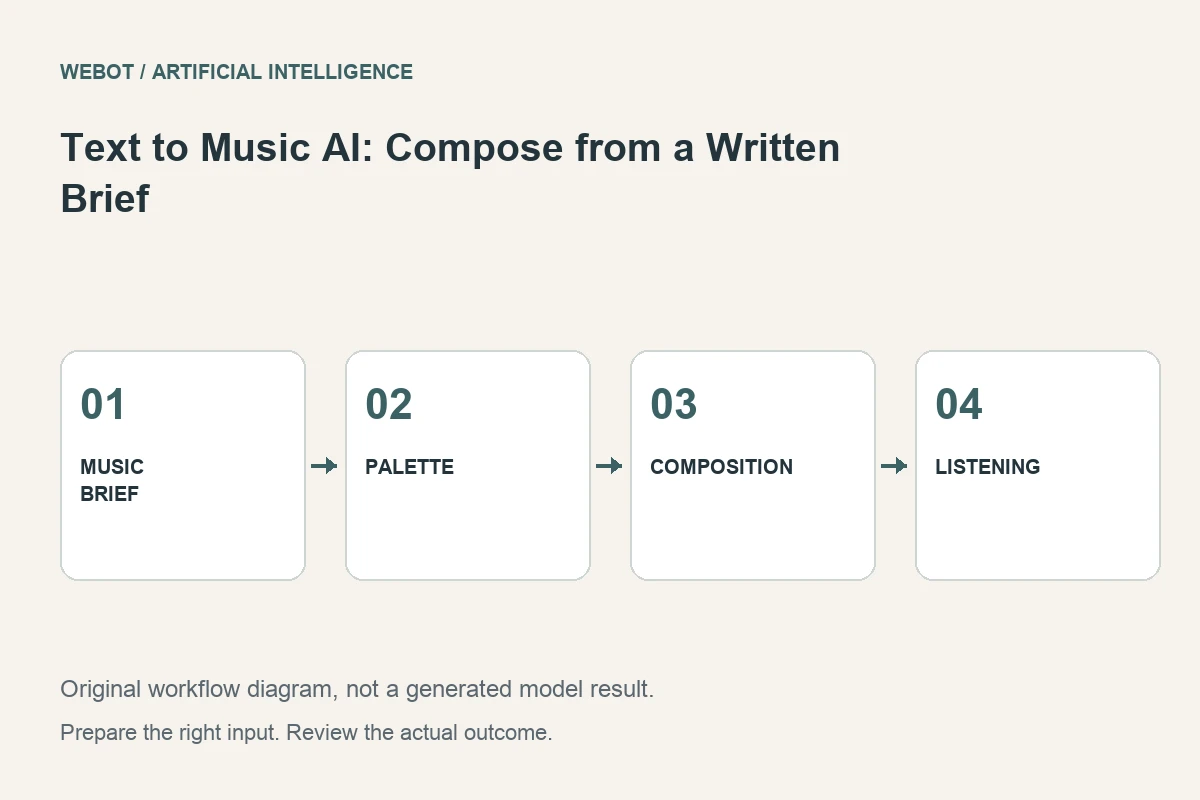
Decide whether the track supports speech, carries a story on its own, introduces a brand, or creates an ambient listening environment. These purposes lead to different arrangements. For the workshop, a quiet tool demonstration may need less musical activity than the opening montage, so note that contrast in the brief. Music beneath narration needs space for the voice; a standalone song may place a vocal performance at the center.
For the workshop video, the brief can prioritize a gentle pulse, a restrained instrumental palette, and a clear ending. The acceptance condition is that the narration remains understandable and the cue supports the pace of the edit. This is more useful than asking for high-quality music without a context. A technically clean track can still fail the actual communication task.
2. Describe a coherent musical palette
Specify the instruments or textures that establish the desired sound. For example, warm acoustic guitar, light percussion, and a modest bass foundation provide a clearer direction than several unrelated genre names. Explain the energy and mood in terms relevant to the scene rather than stacking flattering adjectives.
Keep the choices compatible with the intended use. A busy lead part may compete with a spoken explanation even if it sounds attractive alone. Decide which musical properties should remain stable and which can vary. The goal is not to remove creative interpretation; it is to guide the model toward a region where its interpretation can plausibly serve the project.
3. Plan structure and boundaries
Think about the opening, development, and ending before generation. Does the music need to establish the mood immediately? Should the energy increase during a montage? Is a clean resolution important for a final title? A cue’s boundaries often determine whether an editor can use it without awkward fades or abrupt cuts.
Where a workflow offers structured composition controls, check their current documentation and availability. A free-form prompt and a composition plan may be different input methods with different constraints. Use the method supported by the selected endpoint. Do not assume that every product interface feature is exposed through every API integration or workspace simply because the same model family is mentioned.
4. Write an actionable prompt
A starting direction might ask for a warm instrumental cue for a narrated workshop video, with gentle acoustic guitar, restrained percussion, a steady sense of motion, an unobtrusive middle, and an intentional ending. This connects musical choices with a production purpose. It is an illustrative brief, not a demonstrated model result.
If vocals are unwanted, verify the selected workflow’s supported way to request an instrumental rather than assuming any phrase guarantees that outcome. If lyrics are included, review their meaning, pronunciation, and fit with the intended audience. Exact capabilities and controls belong to the current endpoint. The prompt should use the available method clearly instead of relying on unsupported settings copied from another tutorial.
5. Listen to complete candidates
Review the whole track rather than selecting from an attractive opening excerpt. Check transitions, repeating sections, unexpected vocals, artifacts, sudden changes, and the ending. A promising first passage can lead into a section that conflicts with narration or feels unrelated to the rest of the cue.
Use a short rubric: fit to brief, structural coherence, intelligibility where relevant, technical cleanliness, and usefulness in the edit. Record timestamps and distinguish composition issues from delivery problems. A crowded arrangement may require a different brief, while an abrupt export boundary may call for another production step. Specific notes make the next decision clearer than a general request for something more professional.
6. Test the music in context
Place the candidate beneath the actual narration or a representative spoken passage. Listen at a realistic playback level and on ordinary equipment. Music that feels restrained in isolation can still mask important words once combined with speech. The relevant test is the complete experience the viewer will receive.
Compare candidates at sensible, consistent listening levels so louder does not automatically appear better. Check whether the cue supports changes in the visual sequence without demanding attention at the wrong moment. This is an editorial listening exercise, not a claim of professional mastering or a measured engagement improvement. Select the candidate that serves the communication rather than the one with the most impressive isolated moment.
7. Revise the musical cause of a mismatch
If a lead instrument competes with speech, simplify the arrangement direction. If the cue feels static, clarify the intended development. If the ending is unsuitable, check supported editing or extension options rather than assuming a complete regeneration is the only answer. Use conventional audio production where it offers a precise and dependable correction.
Save prompts, settings, model identity, and chosen files with clear version names. A new duration or structural instruction changes the experiment. Generative variation means the record is not a guarantee of identical reruns, but it preserves the reasoning behind the creative choice. Avoid requesting a large batch before establishing a musical direction that works in the intended context.
8. Deliver accurate audio and release information
Export in the format required by the destination and listen to the actual exported file. Check the beginning, ending, channel behavior, and any unintended silence. Keep track names, production notes, and relevant source permissions organized. Follow current usage and delivery requirements for the selected service and destination rather than assuming every generated track has identical release conditions.
On WeBot, review the current supported workflow and credit estimate before dispatch, and preserve accepted pending requests during connection interruptions. Text to music is most useful when the brief establishes a purpose and the listening review establishes a result. Artificial intelligence can generate a musical candidate; the project’s arrangement, context, and final delivery determine whether that candidate becomes a useful cue.
Sources and further reading
Put the guide into practice
Browse available workflows, review their supported inputs and choose a workspace for your next project.
Explore AI models