AI Music Album
Audio Reference to Music: Guide a New Composition
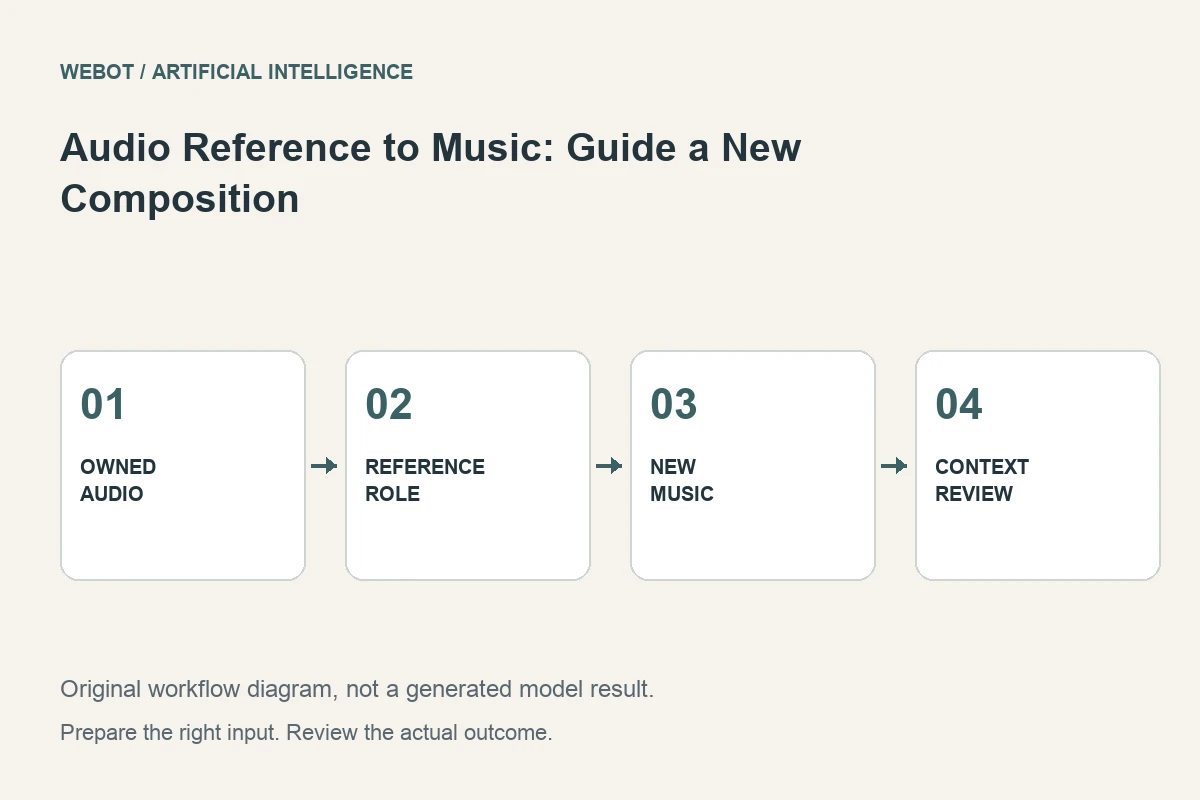
An audio reference can communicate musical qualities that are difficult to describe precisely in words. In a supported reference-to-music workflow, the uploaded sound guides a new composition. Its role is different from extracting the original notes, remixing a recording, extending a finished song, or reproducing a particular performance.
Imagine a fictional composer using an original guitar sketch to guide a new instrumental cue. The sketch establishes a relaxed feel and an acoustic palette, while the new piece needs a different arrangement for a short film. This guide explains how to select the reference, define its role, combine it with a written brief, and evaluate the resulting music.
1. Decide which qualities the reference should communicate
List the properties you want to carry into the new composition: overall energy, instrumentation, rhythmic feel, production texture, or mood. Separate these from elements you expect to change. In the guitar example, write down whether the relaxed pulse or the acoustic texture is the more important requirement. A useful reference has a clear job rather than serving as an unexplained instruction to make something similar.
For the guitar sketch, the composer might retain the intimate acoustic character and relaxed pulse while seeking a fuller arrangement with a deliberate ending. That is a different request from reproducing the melody. Write down the distinction before uploading the file. It gives the listening review a meaningful target and reduces confusion about whether the generated piece was supposed to preserve an exact musical element.
2. Use a source whose production history you understand
Choose original or appropriately authorized material and keep the relevant records. An available audio file is not automatically an appropriate production reference. If the project depends on a particular permission or release condition, check the current terms and the destination’s requirements rather than guessing from the fact that an upload interface accepts the file.
Inspect the source for the qualities it is meant to communicate. A noisy voice memo can still express a rhythm or mood, but unrelated background sounds may make the intention less clear. Choose a representative passage within the actual endpoint’s accepted limits. Keep the original recording and the prepared excerpt separately so the exact conditioning material remains identifiable.
3. Verify how the selected workflow uses audio
Read the current documentation for the specific reference feature. Eleven Music describes audio references as guidance for characteristics of a new composition, rather than a general promise to remix or copy the uploaded recording. That distinction matters when designing a project around an existing song.
Check the active WeBot workspace for supported inputs and availability. A provider may offer a feature in one product or model version without exposing it in every integration. Avoid hardcoded assumptions about length, file formats, or the effect of a reference. The endpoint’s current contract determines what can be submitted, while the returned result determines what the model actually did with that information.
4. Let the prompt explain what the reference leaves open
A written direction can identify the intended use, desired instrumentation, structural development, and ending. For example, retain the sketch’s relaxed acoustic feel while creating a new instrumental arrangement that leaves room for dialogue and resolves cleanly. This connects the reference with a specific production need.
Avoid asking the reference to establish one musical direction while the text demands an unrelated one without explanation. Conflicting guidance can make the result harder to interpret. If a dramatic contrast is the creative goal, test it as an experiment and evaluate the actual output rather than assuming the reference feature is a universal genre-transfer tool. Different operations require different documented capabilities.
5. Review resemblance and usefulness separately
Listen for the characteristics the reference was intended to guide, then assess whether the new composition serves the project. A candidate can resemble the source’s mood yet have an unsuitable arrangement. Another can work well in the edit while sharing fewer obvious surface details. These are different findings and should not be collapsed into one impression.
Use criteria such as palette, energy, rhythmic feel, structure, and room for dialogue. Listen through the complete track, including transitions and the ending. A short passage that feels similar to the sketch does not establish that the whole piece is coherent. Keep timestamped notes describing which quality is missing or which section conflicts with the brief.
6. Compare references deliberately
If the result repeatedly misses the intended direction, ask whether the chosen excerpt clearly communicates that direction. A different passage from the same original recording may be more representative. Alternatively, a more explicit text brief may resolve an ambiguity without changing the reference at all.
Change one important input at a time and save the versions. A new reference excerpt, a revised prompt, or a different model changes the comparison. Generative variation still prevents a guarantee of identical reruns, but a clear record lets you understand the creative decisions. Avoid assembling a large collection of unidentified candidates whose conditioning files can no longer be traced.
7. Choose another operation when exact preservation matters
If you need the original performance to continue, a specific section replaced, or separate stems from the source, investigate workflows designed for those tasks. A reference-guided new composition should not be assumed to provide those operations. The same uploaded song can play different roles across different audio tools.
For the short film, the composer should decide whether a newly generated cue is acceptable or whether the original melody and performance must remain. If exact musical continuity is essential, use a production method that can establish it. Artificial intelligence is useful when its documented task matches the project, not when a convenient reference input is treated as a substitute for every audio transformation.
8. Deliver the selected piece with clear context
Test the approved music beneath the intended dialogue or scene, and review the exported file’s format, boundaries, and sound. Keep the original reference, prepared excerpt, prompt, model identity, and selected output. Record the reference’s intended role so a later collaborator does not mistake a newly composed track for a verified remix of the source recording.
Before dispatch in WeBot, inspect the current credit estimate and preserve accepted pending jobs through temporary connection interruptions. The useful workflow is to select a meaningful reference, explain the remaining creative decisions, and review the complete musical result. The reference narrows the direction; careful listening and production judgment determine whether the new composition belongs in the project.
Sources and further reading
Put the guide into practice
Browse available workflows, review their supported inputs and choose a workspace for your next project.
Explore AI models