AI Images
Text to Image AI: A Practical Café Campaign Workflow
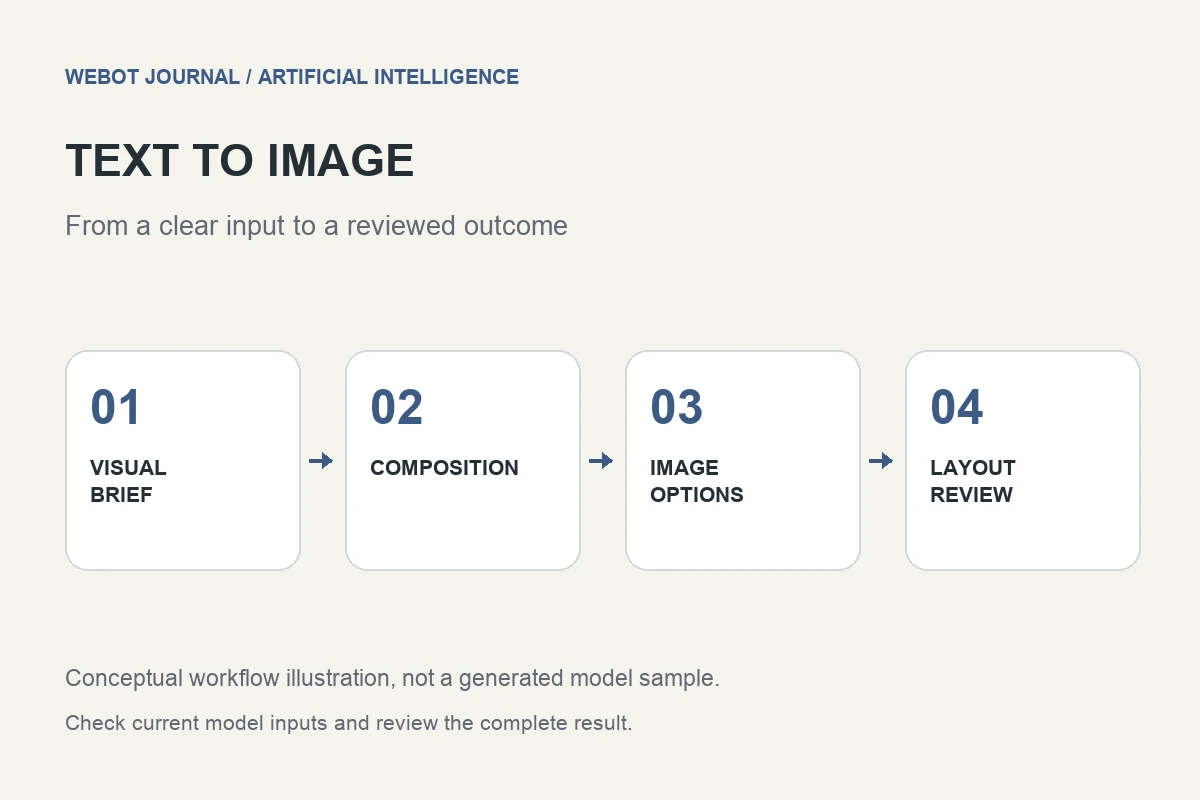
Text to image artificial intelligence creates a visual from a written description. Its practical value is not simply producing something attractive. A useful image must fit a purpose: explaining a service, illustrating a story, exploring a design, or supporting an advertisement. The prompt is one part of that process. Composition, subject accuracy, audience, editing, and delivery decisions matter just as much.
Consider a fictional café preparing a seasonal menu announcement. The team wants a warm tabletop scene with a ceramic cup, a pastry, and space for a headline. This guide uses that imaginary brief to explain an AI image generation workflow. It does not present a fabricated customer result or promise that a model will reproduce a particular output.
1. Separate illustration from evidence
Decide whether the image is a concept illustration or a representation of something that really exists. An invented café scene can communicate a mood. An image advertised as a photograph of a specific product or location has a different responsibility. Generated details can accidentally imply the wrong ingredients, serving size, equipment, or environment.
Write down the details that must be verified. If the actual cup design matters, use suitable authorized reference material in a workflow that supports it, or combine a generated background with accurate product photography. Do not ask a text prompt to certify a real-world fact. This distinction keeps the creative brief clear and gives the reviewer something more useful to assess than whether the picture looks realistic.
2. Describe the visual hierarchy
The viewer should understand what to notice first. In the café example, the cup is the main subject, the pastry supports the scene, and the background establishes atmosphere. If everything receives equal emphasis, the image may be busy even when each individual object looks convincing. Specify a focal subject and leave breathing room around it.
A draft prompt might read: a ceramic coffee cup on a small wooden café table, one pastry beside it, soft light from a nearby window, warm neutral colors, a simple background, and open space at the upper right for a headline. Every phrase changes an observable decision. Adding several unrelated styles or a list of flattering adjectives would make the intended hierarchy less clear.
3. Choose composition before decoration
Ask where the finished image will appear. A website banner needs different framing from a mobile story or a printed menu panel. Choose a supported aspect ratio and consider safe areas for text and interface overlays. An image can look excellent at full size but fail when a phone crops the main subject or the headline covers the cup.
Position and scale deserve explicit attention. If the cup should occupy the lower left, explain that relationship rather than hoping that negative space appears somewhere useful. Test the composition in the actual layout early. You may discover that a modest, uncluttered image works better than a more spectacular generation whose focal point conflicts with the page design.
4. Understand which controls belong to the model
Text to image systems expose different settings for output size, image quantity, seed behavior, style guidance, and related options. Read the current workspace or endpoint information. A control shown in one tutorial may not exist for another model, and a familiar label does not guarantee identical behavior. Do not invent unsupported negative-prompt or quality settings.
The fal text to image catalogue is a source for researching model options, while WeBot’s current workspace tells you the inputs and availability relevant to your request. Check the actual supported controls before preparing a large batch. Model selection should follow the image requirement: composition, typography, editing needs, and reference support can be more important than a broad claim that one model is universally best.
5. Compare candidates using a short rubric
Before looking at results, decide what would make a candidate usable. For the café image, review cup geometry, table perspective, pastry appearance, light direction, empty space, and suitability for the headline. A beautiful background should not excuse a malformed handle or a serving arrangement that misrepresents the product.
Review at both full size and intended display size. Fine artifacts may matter in print but be invisible in a small tile; poor hierarchy can remain a problem at every size. Keep notes tied to visible details. Instead of writing that an image is bad, record that the cup handle changes shape, the pastry overlaps the headline area, or the window light contradicts the shadows.
6. Revise the cause of the problem
Change a meaningful part of the brief when a result fails. If the background is crowded, simplify the setting. If the cup is too small, state the subject’s relative size. If text placement is difficult, adjust the composition. Avoid changing style, framing, lighting, and subject all at once, because that makes it harder to understand which revision helped.
Some requirements are better handled in editing. Add exact prices, dates, logos, and menu wording using dependable typography tools when accuracy is essential. An image generation workflow can create visual material without becoming the final layout system. If a local edit would solve a small defect, check whether a supported image editing or inpainting workflow is more suitable than regenerating the whole scene.
7. Keep costs and versions understandable
A finished visual may involve several attempts and a separate editing step. Budget for the review process rather than assuming that the first image will be publishable. Save the prompt, current settings, model or workspace identity, and the actual chosen output. Clear project filenames make comparisons easier and prevent an earlier rejected version from entering the final design.
On WeBot, inspect the current credit estimate after verified login and before generation. The estimate applies to the selected request; it is not a promise that every later variation costs the same. If an accepted request is still pending, keep its saved state and wait for completion rather than creating duplicate submissions because a browser connection briefly interrupted.
8. Deliver an image that works in context
Export the approved asset in a format suited to its destination. Check its dimensions, compression, transparency if needed, and appearance against the actual page background. Describe meaningful content in alt text when the image conveys information; avoid filling accessibility text with a list of search keywords. The image and accompanying copy should communicate the same message.
The café workflow ends with a reviewed visual placed in a real layout, not a folder full of attractive candidates. That is the useful way to approach text to image AI: establish the purpose, describe the composition, verify supported controls, review the details, and finish deliberately. Artificial intelligence expands the range of ideas you can explore, while a clear brief determines which of those ideas deserves publication.
Sources and further reading
Put the guide into practice
Browse available workflows, review their supported inputs and choose a workspace for your next project.
Explore AI models