AI Video
Image to Video AI: Animate a Still Image
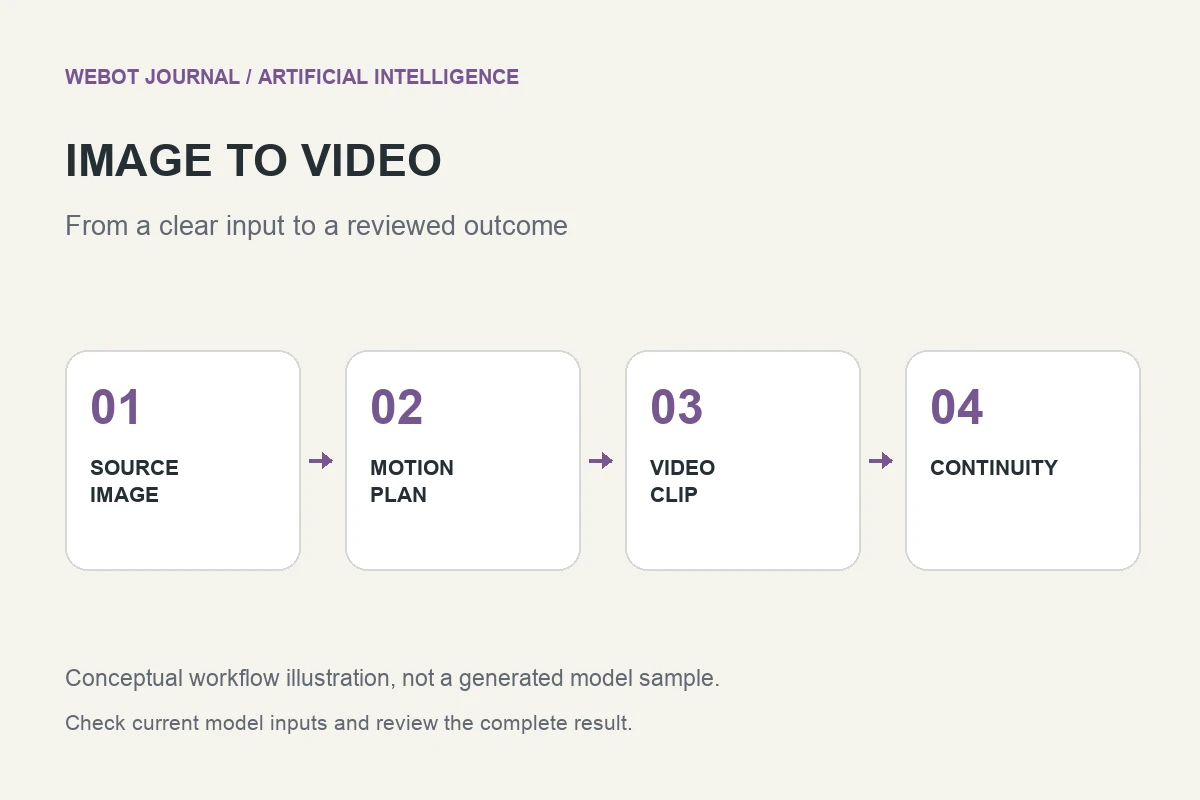
Image to video artificial intelligence uses a still image as a visual starting point for a generated clip. It can help turn a product photograph, illustrated scene, or character concept into moving material. The central challenge is choosing motion that strengthens the source instead of destroying what made the image useful. A small, convincing action often works better than a dramatic transformation.
Imagine a landscape illustration of a lakeside cabin. You want a short atmospheric shot for a story introduction: subtle ripples, a little movement in nearby foliage, and a calm viewpoint. This fictional exercise gives us a concrete way to discuss source preparation, motion prompting, identity preservation, review, and delivery without claiming that an unseen generation has already passed those tests.
1. Decide what should move and what should stay stable
Start by identifying the scene’s essential properties. The cabin’s silhouette, the shoreline, and the arrangement of the trees establish the illustration’s identity. Water and leaves can move, but the building should not stretch or change its windows. These distinctions form a useful acceptance brief before you upload anything.
An instruction such as bring this image to life leaves almost every production decision unresolved. Instead, describe the visible action and its limits. Gentle ripples move across the lake while the cabin remains unchanged communicates a narrower intention. It still does not guarantee preservation, but it gives you a clear basis for comparing the requested movement with the actual result.
2. Prepare an image with enough visual clarity
Inspect the source at a useful resolution. Blurry edges, contradictory shadows, accidental objects, and damaged anatomy can become more distracting once motion amplifies them. Clean up essential defects before animation where practical. A model cannot be expected to infer the intended architecture from a badly distorted cabin drawing.
Check the framing too. A subject pressed against the border leaves little room for camera movement. A prominent foreground object can complicate a simulated push or pan. If a crop or canvas extension is necessary, review that preparation separately so you know which changes existed before video generation. Preserve an original source copy and a clearly named animation-ready version rather than overwriting the only asset.
3. Match the workflow to the available controls
An image to video endpoint may accept an opening image and a prompt, while other variants offer different conditioning or additional controls. Read the selected model’s current input requirements for image format, aspect ratio, duration, and supported options. Do not assume that a second image automatically becomes an ending frame unless the endpoint explicitly defines that behavior.
fal’s image to video catalogue illustrates the range of available model families, but a provider’s catalogue is not a guarantee that every variant runs on your chosen platform. In WeBot, inspect the actual workspace and its current availability. Select by the task you need to perform. An image-led animation and a reference-guided new scene are related workflows, but they solve different production problems.
4. Write a motion prompt rather than redescribing everything
The image already provides much of the scene’s appearance. Use the prompt to clarify what changes over time. For the cabin example: gentle ripples cross the lake; the nearest leaves move slightly in a breeze; the camera stays steady; the cabin and distant shoreline remain visually stable. This describes a sequence of observable behavior without demanding a new setting.
Avoid competing camera instructions. A fixed viewpoint and an orbiting close-up cannot both describe the same simple shot. If you want a slow camera move, choose one direction and check whether the source has enough information to support the imagined change in perspective. Newly revealed surfaces must be synthesized, so large viewpoint changes can introduce invented details that were never present in the still image.
5. Review identity across time, not just at the beginning
A first frame that resembles the source does not prove that the rest of the clip preserves it. Watch the entire sequence for changing rooflines, disappearing branches, unnatural ripples, and edges that wobble. Pay particular attention to regions that become partly hidden or are revealed by camera movement. Those transitions often expose continuity problems.
Compare the clip with the original acceptance brief. The question is whether the lake feels alive while the cabin remains recognizable, not whether something somewhere is moving. Keep a short record of defects and timestamps. A note such as the left window changes after the camera advances is useful to the next revision; a general complaint that the animation feels strange is much harder to act on.
6. Diagnose failures before requesting another clip
Too much movement can be a prompt problem, an unsuitable source, or a mismatch between the task and the model. Simplify the requested action first when the scene becomes chaotic. If geometry changes persist, reduce the viewpoint change or consider a source with clearer structure. When only one local element needs animation, conventional compositing can sometimes provide more reliable control.
Change one important decision at a time and save each candidate with its settings. Generative variation means the comparison is not a laboratory proof, but controlled notes still make the creative process more understandable. Do not repeatedly submit the same failed brief without identifying what you expect to improve. The aim is a usable sequence, not a growing collection of nearly identical rejected files.
7. Finish sound, pacing, and transitions deliberately
Decide whether this atmospheric clip should contain generated audio, separately added ambience, music, or silence. Verify audio support for the actual endpoint and listen to the result rather than assuming a video file contains an appropriate soundtrack. A quiet cabin scene can be undermined by distracting or inconsistent sound even when the visual motion is convincing.
Trim the sequence around its strongest portion and check its boundaries in the edit. A loop needs a particularly careful ending; similar opening and closing frames do not automatically produce a seamless transition. Review the result in its intended player and screen shape. Captions or a title should complement the composition rather than hide the essential subject movement.
8. Keep an honest production record
Retain the original image, prepared input, prompt, selected settings, and approved clip. If the project uses licensed or customer supplied artwork, keep the appropriate permission record with the production materials. Identify generated motion clearly within your team’s handoff so another editor does not mistake synthesized details for an actual recording of a location or product.
On WeBot, review the current credit estimate before dispatch and keep the model page open while generation runs. A pending accepted request should remain recoverable rather than being duplicated after a temporary connection problem. Image to video AI works best as a disciplined animation method: choose a clear source, ask for purposeful movement, inspect continuity, and publish only the part that survives a complete audiovisual review.
Sources and further reading
Put the guide into practice
Browse available workflows, review their supported inputs and choose a workspace for your next project.
Explore AI models