AI Video
AI Video Generation: Plan, Prompt and Finish a Coherent Short Film

AI video generation can turn a written scene or an existing image into moving footage. Making that footage useful still requires familiar filmmaking decisions: what the shot communicates, where attention moves, how long the action needs and how one shot connects to the next. This practical guide explains those decisions through an original short campaign for a fictional homeware studio. You will build a brief, write a shot list, prepare prompts and review the sequence before publishing.
The example is a quiet product film about a terracotta vase in a small apartment. It is a planning exercise rather than a measured comparison of generation models. The accompanying artwork is AI-created editorial illustration, not a screenshot of an actual generated video. Specific duration, audio, resolution and reference controls depend on the workspace you select. Check its current form before adopting any example setting from a general guide.
1. Define the message before the first shot
Start by writing the one idea the film should leave with the viewer. For our homeware studio, the idea is that a handmade object can bring warmth to an ordinary corner of a home. That gives the film a clear direction without requiring an elaborate plot. Next define the audience, placement and desired action. A website introduction, a portrait social clip and a presentation background may share footage, but they rarely need identical pacing or framing.
Write a short creative brief containing the main subject, emotional tone, visual constraints and deliverables. Our brief calls for a calm atmosphere, warm natural light, an accurate vase silhouette and enough clean space for an editable closing title. It avoids dramatic explosions, frantic transitions and a crowded room because those elements compete with the message. Simplicity is a production choice that makes the result easier to review.
Decide what must remain truthful. If the film represents a real product, its shape, size cues and visible features should be checked against approved reference material. If it is only a concept film, label it accordingly. An attractive sequence can still mislead when it implies that an invented feature or environment is real. Define that boundary in the brief so everyone evaluating the footage uses the same standard.
2. Turn the brief into a small shot list
A shot list gives every generation a purpose. Begin with a wide view that establishes the room, a medium view that introduces the vase, a close detail that reveals texture and a closing composition that leaves space for a message. These are example editorial roles, not a requirement that every short film contain four shots. Choose only the views that help the viewer understand your idea.
For each shot, write down its subject, action, framing, camera behaviour, starting condition and ending condition. A useful entry might read: close view of the vase rim; a soft curtain shadow moves across the clay; the camera remains still; begin with a clear highlight on the left; end with the highlight slightly softened. This is easier to judge than a request for an entire cinematic advertisement in one generation.
Consider the edit while planning. If the first shot ends with the vase on the right of the frame and the next begins with it on the left, the cut may feel abrupt. That change can be intentional, but it should be a decision. Sketch simple rectangles on paper if necessary. A rough storyboard often reveals missing transitions, repetitive angles and unnecessary shots before you spend time generating footage.
3. Choose the starting material for each shot
Text to video is useful for exploring a scene when the exact first frame is flexible. Image to video begins with a source image and is often useful when composition or subject appearance needs a clearer anchor. Some workflows support first and last frames, video references, extension or editing. These capabilities differ. The presence of a video model in a directory does not mean it supports every kind of input.
For the vase close-up, an approved still image may provide a stronger starting point than text alone. Inspect that still before animating it. A distorted rim, floating object or incorrect reflection can become more distracting when it moves. Motion is not a reliable repair tool for a weak source. Correct the still or choose another source before asking the video workflow to animate it.
On WeBot, browse the video guide and the currently available workspaces. Read the required fields and supported controls. Match the workflow to the material you have and the property you need to preserve. If you have only a prompt, start with a text workflow. If you must preserve an approved composition, look for a supported image workflow. Avoid inventing upload fields or reference behaviour that the selected workspace does not provide.
4. Write the prompt as a short shot description
An effective video prompt describes change over time. Identify the subject, setting, action, camera and visual treatment. State which things should remain stable. A still-image prompt may describe a lovely room but leave the motion undefined. For video, the reader should be able to imagine what happens between the first and last frame. Keep the action simple enough for the intended shot length.
Here is an example: A matte terracotta vase rests on a pale shelf beside an apartment window. Warm morning light enters from the left. A sheer curtain moves gently in the background while the vase remains completely still. The camera makes a slow, subtle push toward the vase. Quiet natural colours, believable materials, steady framing, no text or additional objects. This gives the scene one main camera movement and one small environmental action.
If the result introduces too much motion, simplify the description rather than adding an ever longer list of prohibitions. Try a locked camera and only the curtain movement, then evaluate the difference. If the source image already establishes appearance, spend more of the prompt on motion and less on redescribing every visible surface. The exact balance depends on the model, so use each result as evidence for the next focused adjustment.
5. Separate subject motion from camera motion
A moving subject and a moving camera can create similar changes in the frame. Describe them separately so you can judge which one went wrong. “The vase remains fixed on the shelf while the camera moves slowly closer” differs from “the vase slides toward a stationary camera.” If the generated footage drifts, bends the object or changes perspective unexpectedly, this distinction helps you identify the problem.
Start with one restrained movement. A subtle push-in, gentle pan or stationary close-up can support a calm product film. Combining a fast orbit, dramatic zoom, handheld shake and moving furniture makes the shot harder to control. More movement is not automatically more cinematic. The best camera choice is the one that draws attention to the information or feeling the shot needs to communicate.
Review the background as well as the subject. Shelves should not slide relative to walls without a reason, and shadows should not jump abruptly. If the camera is meant to remain fixed, watch vertical edges for unintended drift. If it moves, check whether the perspective change looks coherent. A shot can feel convincing at first glance while containing unstable geometry that becomes obvious when the sequence is played more than once.
6. Maintain identity, light and geography across shots
Continuity begins with a small visual rule sheet. Record the vase colour, silhouette, shelf material, light direction and room arrangement. Keep approved reference images where the chosen workflow supports them. Reuse clear descriptions of the features that matter. This does not guarantee perfect consistency, but it gives you a stable standard for selecting shots and rejecting incompatible alternatives.
Watch for continuity changes that a viewer will notice during the cut. A vase with a narrow neck should not become a wide bowl in the next view. Window light should not suddenly come from the opposite side unless the camera position or scene explains it. The room does not need to be identical in every pixel, but its visual logic should remain understandable. Sometimes a close detail avoids a background inconsistency more elegantly than another wide shot.
Review adjacent shots together rather than approving each one alone. Place rough selections on a timeline and play the transition. A colour difference that seems small in isolation can look severe during a cut. If necessary, choose a less spectacular shot that matches the sequence better. A coherent film usually feels more deliberate than a collection of unrelated impressive clips stitched together with transitions.
7. Treat duration, aspect ratio and resolution as real constraints
Choose the intended viewing format before generating the whole sequence. A landscape website film and a portrait social video distribute information differently. If the main subject sits near an edge, a later crop may remove it. Plan separate compositions when the placements need them. You can reuse the creative idea without insisting that a single frame must solve every format.
Select only settings supported by the actual workspace. Duration choices, output sizes and audio controls vary by model. If an example asks for a longer action than the selected duration can comfortably show, shorten the action or divide it into separate shots. Do not assume you can repair every timing problem with extreme slow motion afterward. Stretching footage can reveal artifacts and change the intended rhythm.
Reserve a little editorial flexibility. A usable beginning and ending make clips easier to trim, but the exact amount depends on the sequence. Avoid placing the crucial action at the very last instant unless that is deliberate. Check whether the output contains the whole intended moment before approving it. File dimensions describe the container; they do not by themselves prove that the motion, focus or visual detail is suitable for publication.
8. Plan sound instead of assuming it will appear
Decide whether the film needs dialogue, ambience, music or silence. Some video workflows produce audio and others do not. Check the selected workspace rather than inferring sound support from the model name. A silent clip can be entirely appropriate for a website background, while a spoken product explanation needs intelligible words and careful timing. The production plan should make that difference explicit.
For the vase film, a soft room ambience and a restrained instrumental bed might support the mood. You could also publish a silent version with captions for the essential message. Keep music, speech and sound effects separate in your editing project when possible. Separate tracks make it easier to adjust levels, replace an unsuitable cue and create an alternate version without rebuilding the entire film.
Listen on ordinary speakers and headphones. Check for abrupt cuts, clipping, distracting noise and unclear speech. If a generated clip includes dialogue, verify every word against the intended script. Provide captions where needed and review their timing and spelling. Do not treat a visually attractive result as finished until its sound has been checked. Many viewers will first encounter the film with sound muted, so its central visual message should also stand on its own.
9. Review motion frame by frame and at normal speed
First watch the clip normally to judge the overall impression. Does the action read clearly? Does the camera feel intentional? Is the shot calm or energetic in the way the brief requires? Then inspect suspicious moments more closely. Watch object boundaries, hands, faces, reflections and the contact point between objects and surfaces. These areas can reveal changes that are easy to miss in a single still frame.
For the vase, focus on the rim, base and shadow. The base should remain attached to the shelf, the silhouette should not breathe or melt, and the shadow should move coherently with the lighting. If the curtain moves, make sure its motion does not pull nearby walls or furniture out of shape. Record the actual problem rather than writing a vague note such as “looks artificial.”
Classify the result as usable, usable after a specific edit or unsuitable. A short artifact near an unused ending might be solved by trimming. A major change to the product throughout the shot usually needs another source or generation. Do not spend more time concealing an untrustworthy shot than it would take to choose a simpler reliable one. The review standard should follow the film's purpose and audience.
10. Edit the sequence around meaning and rhythm
Bring approved clips into a video editor and assemble a rough cut before adding decorative effects. Arrange them so each new shot contributes information. The wide view establishes place, the medium view identifies the product and the close-up reveals texture. If two shots do the same job, consider keeping the stronger one. A concise sequence can feel more confident than a longer film that repeats itself.
Trim according to the action and the intended pace. Let the viewer recognise the subject before cutting away, but do not hold every shot for the same amount of time simply because the generated clips have identical lengths. Check the transitions in context. A straightforward cut often preserves attention better than a dramatic effect that competes with the product. Use effects only when they support the story or clarify a change.
Add titles as editable text in the editor rather than relying on generated lettering inside the footage. This gives you control over spelling, typography, timing and alternate language versions. Keep important text within the safe area for the intended placement and check it on a small screen. Export a clean master without placement-specific overlays if you expect to reuse the footage later.
11. Troubleshoot with a cause-and-change log
When a shot fails, write a short note with the observed problem and the next experiment. “The vase changes shape during a fast orbit; next try a fixed camera and a stronger source image” is actionable. “Bad quality” is not. Keep the prompt, input files and actual workspace settings with the note. This makes it possible to identify patterns instead of repeatedly trying unrelated changes.
Common problems call for different responses. Too much action may improve when the scene is simplified. Identity drift may call for an approved image reference or a shorter, steadier shot. A confusing camera move may need a clearer movement description. Text errors often belong in post-production. These are workflow suggestions, not guaranteed model fixes. Keep the experiments small enough that you can tell which change helped.
Set a practical stopping point. If several attempts fail to preserve a critical product feature, change the shot design or use conventional footage for that moment. AI generation is one production method, not an obligation to use it for every frame. A mixed workflow can be more effective: a real product close-up, an illustrative establishing scene and editable motion graphics may serve the brief better than forcing a single tool to perform every task.
12. Run a complete example from brief to delivery
Our fictional studio needs a short warm introduction for a collection page. Begin with the brief and approve one product reference. Plan three or four shots, then identify the hardest uncertainty: preserving the vase during subtle motion. Test that close-up first. If it works, use its lighting and material treatment as the reference direction for the remaining shots. This reduces the chance of building an entire sequence around an unusable centrepiece.
Generate a small selection, review each result and assemble a rough cut. Add a restrained music bed only if it serves the mood and you can use it for the intended publication. Place the closing headline in the editor, check the film with sound muted and review the final crop on a phone. Ask a colleague to describe what they understood before explaining the intended message. Their answer is useful feedback on whether the film communicates clearly.
Export the versions required by the actual destination and watch those exported files from beginning to end. Check orientation, sound, captions, spelling, opening frame and closing frame. Keep the approved master, source references and a short production note. The final file is the deliverable; an attractive preview in the editor does not prove that the exported version has the correct dimensions, timing or audio.
13. Generate deliberately on WeBot
Open a currently available video workspace from the public directory. Guests can browse and prepare inputs; verified login is required for credit calculation and generation. Read the workspace instructions, select supported settings and review the displayed estimate before submitting. The estimate and any final adjustment should be understood through the actual wording shown by the workspace, rather than through a generic claim that all video generation has one fixed cost.
Keep the model page open during generation and review the saved result when it arrives. Avoid repeatedly submitting the same job after an interrupted connection. Once you have an output, record the settings and whether it met the brief. Save accepted footage with clear names, including its purpose and version. Good production records make the next project easier and help a collaborator understand why one clip was chosen over another.
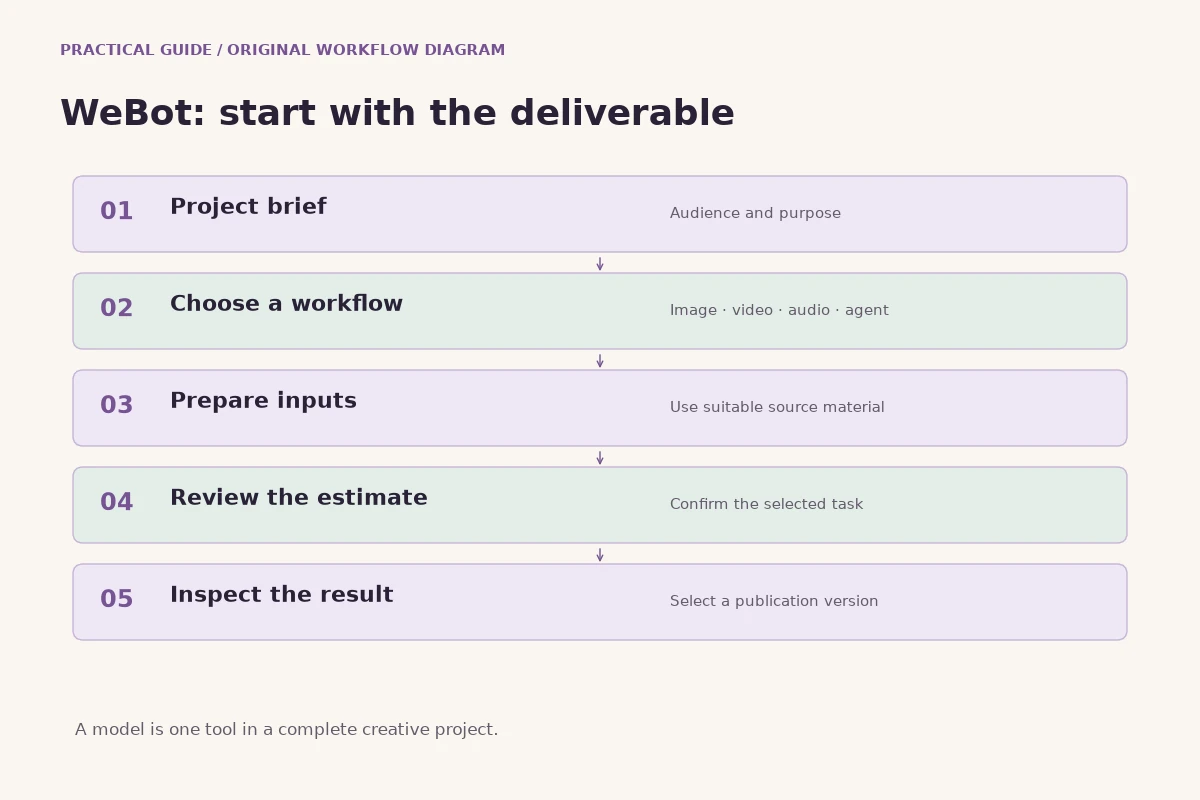
The useful loop is simple: define the message, plan a shot, provide suitable inputs, generate, review and edit. Better prompts come from understanding the shot rather than collecting longer lists of cinematic adjectives. A coherent short film combines controlled motion with thoughtful selection. Even as models change, a clear brief, honest presentation and careful final review remain the foundations of a result people can understand and trust.
14. Frequently asked questions before publishing
Should every AI video include sound? Only when sound serves the placement and the chosen workflow supports your production plan. Can one prompt create a finished advertisement? It can create footage or a concept, but a publishable film still benefits from editing, factual checks and placement-specific exports. Can you animate any picture successfully? Source quality, composition, the requested motion and the selected workflow all affect the result; no input guarantees a convincing clip.
Is more camera movement always better? Movement should reveal information or support a feeling. A still camera with a small environmental action can be stronger than an unstable orbit. Do all shots need the same generation model? They need to work together visually and technically. If you mix workflows, review continuity and keep accurate notes rather than assuming the outputs will match automatically.
Before publishing, confirm the message, product accuracy, motion stability, continuity, audio, captions, crop and exported file. Check that your titles remain readable and that illustrations or invented scenes are not presented as documentary evidence. Keep a version you can revise later. Publishing is the end of a chain of creative decisions, and a reliable review process matters as much as the tool that produced the first clip.
Keep a small delivery note with each approved export: its intended placement, orientation, language, caption version and whether audio is included. Include a still frame that identifies the version visually. This is especially helpful when several people share files and filenames become similar. If you revise the closing title later, create a new export and check it again instead of replacing a file silently. A clear handover makes future edits easier and reduces the chance that an unfinished draft is published by mistake. Treat the last review as part of filmmaking, not as an administrative step after the creative work is over.
Further reading
Put the guide into practice
Browse available workflows, review their supported inputs and choose a workspace for your next project.
Explore AI models