AI Music Album
How to Create an AI Music Album: From a Clear Concept to a Finished Listening Experience
An album is more than several songs placed in a folder. It has a point of view, an emotional movement and a sound that makes its tracks feel related. AI music tools can help explore melodies, textures, arrangements or complete musical ideas, depending on the selected workflow. A convincing album still needs a person to make decisions about direction, words, selection, sequence and the final listening experience. This guide explains a practical process without assuming that one prompt can finish every part of the project.
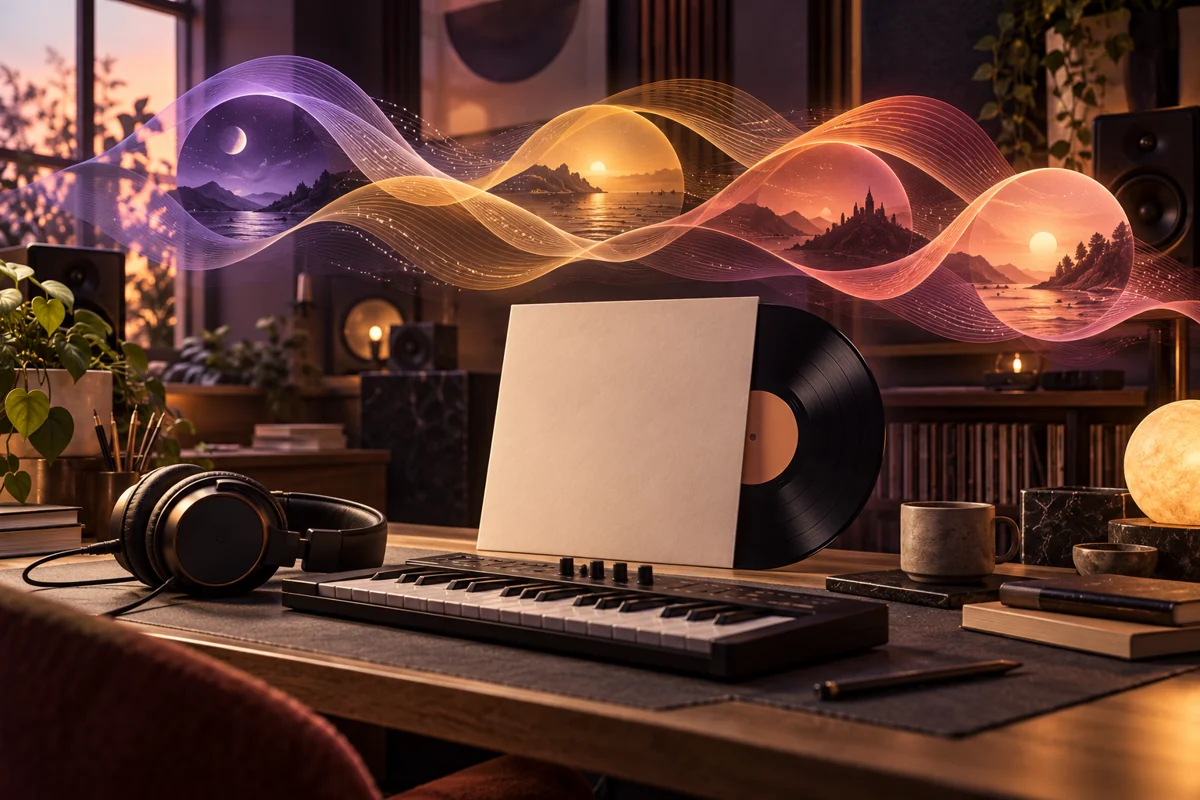
Our original example is a fictional instrumental mini-album called Window Hours. Its theme is a day moving from quiet morning to a reflective evening. The example track names, briefs and prompts are planning material, not released recordings or measured test results. The accompanying artwork is AI-created editorial illustration. Specific music duration, input types, vocal options and export controls depend on the workspace you choose, so check its actual supported settings.
1. Decide what kind of album you are making
Begin with a concept statement that describes the listener's experience. For Window Hours, the statement is: a warm instrumental collection for an unhurried day at home, with gentle movement from morning clarity to evening reflection. That gives the project a purpose without locking every track into an identical mood. Name the audience and context too. Music for focused listening, a narrative short film and a background playlist may need very different arrangements.
Choose a practical scope. A first project might be a short collection rather than a long album, but its exact length should follow the material and the destination. Do not set a large track count merely to make the project appear substantial. If three strong pieces tell the story better than ten repetitive ones, the smaller project can be the better creative decision. Define what a successful listening session should feel like.
Write down constraints before generation. Our collection will be instrumental, restrained in density and connected by a small family of soft keyboard and acoustic textures. It will avoid abrupt genre changes and intrusive vocal fragments. These are creative choices for this example, not universal rules for albums. The value of a brief is that it gives you something stable to return to when an attractive new idea starts pulling the project in an unrelated direction.
2. Build a sonic palette and a reference vocabulary
A sonic palette describes the sounds and production qualities that hold the project together. List the main instruments, rhythmic character, sense of space and energy range. For Window Hours, that might mean soft electric piano, rounded bass, lightly brushed percussion and occasional airy pads. Describe what those sounds do. A keyboard that carries a clear motif has a different role from a pad that quietly fills the background.
Use references to understand qualities rather than to demand an imitation of a specific performer. You can describe an intimate room sound, restrained percussion or a spacious arrangement without asking for someone else's identifiable voice or a copy of an existing song. If you use any actual reference audio, make sure you are entitled to supply it and that the selected workflow supports that input. Keep a record of where your reference material came from.
Create a short vocabulary sheet with words you will use consistently. “Warm” could mean gentle high frequencies, soft attacks and a close room feeling in this project. “Open” could mean fewer simultaneous parts and audible space between phrases. These definitions help a collaborator understand the brief and make your prompts more concrete. A long list of genre labels can be less useful than a clear account of texture, rhythm and musical role.
3. Give every track a different job
An album needs relationships and differences. Assign a role to each planned track before generating. The opener introduces the world, the next track develops energy, a quieter piece gives the listener space and the closer leaves a deliberate final impression. These roles do not require a particular number of songs. They help prevent a project from becoming several variations of the same introduction.
For our example, First Light introduces the keyboard motif with little percussion. Open Window adds a gentle pulse. Midday Notes develops the most active arrangement. Long Shadows reduces density and changes the emotional colour. Last Lamp closes with a simpler return to the motif. These are fictional planning titles. Their purpose is to make the sequence easier to discuss, not to suggest that finished audio already exists.
Write a small track brief containing the role, emotional direction, key instruments, rhythmic feel and ending. Add any important contrast with the previous track. If two briefs are nearly identical, revise one before generating. You might change the arrangement density, use a different lead instrument or create a more spacious section. A shared palette gives the album identity; distinct track roles give the listener a reason to continue.
4. Choose the right music workflow and inputs
Music workflows can start from text, reference audio or an existing musical passage, depending on the model. Some generate complete pieces, while others extend, transform or fill part of an audio file. Speech generation and sound-effect generation are different tasks from music composition. Read the selected workspace's description and input form rather than assuming every audio model is an album-making tool.
For a new instrumental idea, a text-to-music workflow may be a reasonable starting point. If you already have an original motif, a supported audio-conditioned workflow may help develop it. An extension workflow may continue a passage, but you still need to review whether the transition and musical direction work. Do not assume that an extension preserves every harmonic or rhythmic decision exactly. Evaluate the actual result by listening.
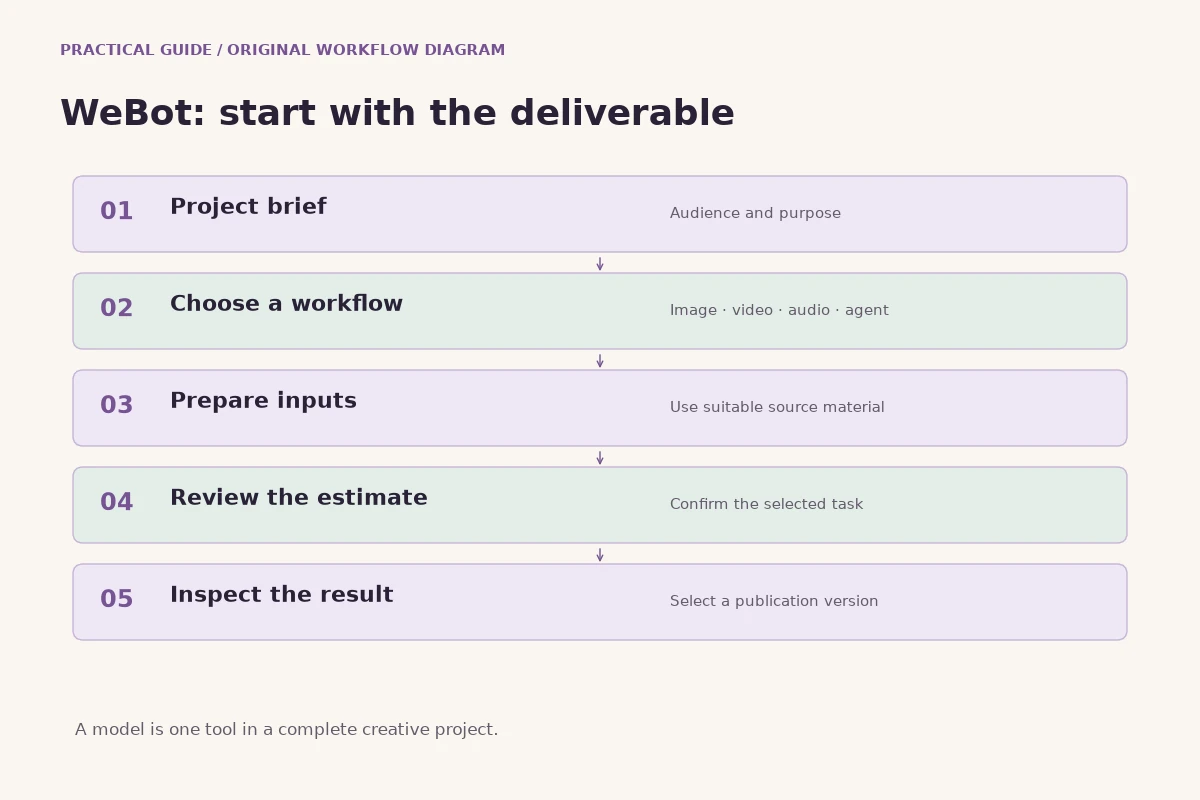
On WeBot, browse the public audio guide and current model directory, then open a workspace suited to the job. Check supported input files, duration choices and other controls. Prepare only the material needed for that step. If the form does not expose stems, lyrics or tempo controls, do not infer that they are available from a tutorial about another model. Build the production plan around verified capabilities and keep unsupported assumptions out of the brief.
5. Write music prompts with arrangement and movement
A useful music prompt communicates genre direction, instrument roles, rhythm, mood and development. Instead of asking for “beautiful cinematic music,” explain what carries the melody, how dense the arrangement should be and how the piece changes. Keep the description coherent. Requesting a very sparse arrangement, a huge orchestra and constant dramatic transitions at the same time can make the intended result difficult to understand.
A starting prompt for First Light could be: An intimate instrumental piece led by soft electric piano. A short repeating motif opens alone, then a rounded bass and delicate brushed percussion enter gradually. Calm, warm and gently hopeful, with generous space between phrases. Restrained dynamics, natural room feeling, no vocals. End by returning to the opening motif with fewer instruments. This describes a musical arc rather than only a static mood.
Treat details such as exact tempo or key as requests unless the selected workflow provides controls and the output has been verified. If precise timing is essential for a film or installation, measure the generated audio and adjust the production plan accordingly. A prompt is not a substitute for checking the file. Save the text and actual settings with each candidate so you can identify what produced a promising result.
6. Handle lyrics and voices as separate creative decisions
If your album includes songs, write the lyrical intention before selecting a voice. Decide who is speaking, what changes during the song and which lines carry the central idea. Use concrete images and a consistent point of view. A chorus should contribute something memorable rather than merely repeat vague emotional words. Read the lyric aloud to notice awkward phrasing, excessive syllables and unclear emphasis.
Check the selected music workflow's support for lyrics and vocals. A model may offer controls that another model does not. Keep an instrumental version in your plan if you need alternate mixes, but do not assume the service can export separate vocal and instrumental stems unless that feature is actually supported. If it cannot, use an appropriate licensed editing workflow rather than promising assets that do not exist.
Use voices and references responsibly. Do not present a generated performance as a real person's recording without a sound basis for doing so. Keep permission and source records for material you supply. For multilingual lyrics, review pronunciation and meaning with someone who understands the language whenever possible. A plausible vocal sound can conceal changed words or unnatural stress. The listening review should include both musical quality and whether the performance communicates the intended lyric.
7. Create candidates, then listen without the prompt
Generate a small selection around a specific track brief. The aim is to explore meaningful alternatives, not to accumulate files indefinitely. Save each candidate with a clear name and note its role. After the first listen, take a short break and listen again without reading the prompt. Ask what the music actually communicates. The result may be enjoyable while failing to do the job assigned to that track.
For First Light, listen for a recognisable opening idea, a gradual entrance of accompaniment and an ending that feels resolved enough for its place in the sequence. Do not reject a good musical surprise merely because it differs from a nonessential detail in the prompt. At the same time, do not ignore a major requirement such as the absence of vocals. Separate useful variation from a failure that undermines the project.
Use a decision sheet with a few categories: musical idea, arrangement, sound quality, fit with the album and repairability. Write specific notes such as “strong motif, percussion becomes too busy halfway through” rather than “almost there.” Choose candidates that have a clear musical reason to survive. A selection process grounded in the brief helps you finish a coherent project instead of endlessly chasing a slightly different version of the same piece.
8. Listen for structure, transitions and unwanted artifacts
Review the entire file, including the beginning and ending. Does the music establish an idea, develop it and reach an intentional stopping point? A promising opening can lead into a repetitive middle or an abrupt cutoff. Note the time of any problem. A timestamped observation is much more useful during editing than a general memory that something sounded strange near the end.
Listen for clicks, sudden level changes, unstable tones, unwanted vocal fragments and sounds that distract from the arrangement. Check percussion transients and sustained notes carefully. Some artifacts are subtle on one set of speakers and obvious on another. Use ordinary headphones and speakers as well as your preferred listening setup. You are evaluating the experience a listener may have, not just whether the file sounds impressive on one device.
Distinguish a repairable issue from a structural weakness. A little unused silence may be easy to trim. A melody that loses its direction throughout the middle is a different problem. If a supported workflow can extend or revise the relevant section, test it and review the join. Otherwise, select another candidate or change the brief. Do not assume every weak composition can be rescued by louder mastering or more effects.
9. Edit and arrange with a clear session structure
Bring selected files into an audio editor or digital audio workstation and keep untouched originals. Create a working copy for edits. Label tracks, versions and markers clearly. If you have separate stems from a supported source, group them by musical role. If you only have a stereo file, plan edits that fit that limitation rather than treating it as a fully separated recording session.
Trim starts and endings carefully, use appropriate fades and listen to every edit point. Avoid cutting through a musical phrase simply to reach an arbitrary duration. If the piece needs a shorter version, look for a complete phrase or a deliberate transition that preserves its logic. Keep an alternate edit when you are uncertain so you can compare the options in the album sequence later.
Use processing to solve a recognised problem. An equaliser, compressor or reverb can change the sound, but adding effects without a clear reason may reduce clarity. If you are new to mixing, make small changes and compare at a similar listening level. Louder often feels more exciting during a quick comparison. That impression does not necessarily mean the balance, texture or long-term listening comfort has improved.
10. Make the album feel connected without flattening it
Listen to the selected tracks together and identify the shared qualities. The palette may already provide continuity, but differences in density, brightness or room sound can make transitions feel abrupt. Adjust where appropriate, or choose a different candidate that fits the project better. The goal is a recognisable world with enough variation to sustain attention, not identical processing on every file.
For Window Hours, the morning tracks can feel lighter and more open, while the evening pieces can use a little more space and a softer arrangement. The same keyboard motif might return in a different context. That relationship creates a narrative without requiring literal sound effects of clocks or windows. Repetition works best when the listener can recognise it and also hear why its return matters.
Do not remove all contrast in pursuit of consistency. A quieter interlude can make the following track feel more active. A sparse closer can resolve an album that began with a similarly simple idea. Review the project at a comfortable volume from beginning to end. Ask whether each difference feels intentional. If one track seems to belong to a completely different project, save it for that project instead of forcing it into the current one.
11. Sequence tracks for a complete listening journey
Try more than one running order. Begin with the role of the opener and the emotional place where you want the listener to finish. Then consider how energy, density and texture move between those points. An album does not have to climb steadily toward a climax. A sequence can breathe, pause and return. What matters is whether the changes feel purposeful when heard together.
Pay attention to the last sound of one track and the first sound of the next. A long reverberant ending followed by a sharp entrance may be effective, or it may feel jarring. Adjust gaps and fades by listening to the transition, not by imposing one fixed gap on every track. If you create a continuous version, also keep clear individual track boundaries for the formats that need them.
Ask another listener to hear the sequence without explaining the story first. Find out where their attention dropped and which transitions they noticed. Their response does not need to dictate every artistic decision, but it can reveal repetition or a confusing change. Keep notes and revise deliberately. A track you love individually may still need a different position, a shorter edit or a place on another release.
12. Finish the sound and check the actual exports
Prepare final files according to the requirements of the destination you actually choose. File format, sample rate, bit depth, artwork and metadata requirements can differ. Verify them with the destination's current documentation rather than following an old universal checklist. Keep a high-quality master and create delivery versions from that master. Avoid repeatedly converting an already compressed file when a better source is available.
Check for clipping, unintended silence, abrupt endings and accidental differences in perceived level between tracks. Do not chase a single loudness number without understanding the listening context. If the release matters commercially and you lack mastering experience, consider a qualified human review within your project's budget. This guide does not claim that an automatic preset can replace every judgement involved in a finished release.
Listen to the exported files, not only the editing session. Confirm track order, filenames, titles and any embedded metadata. Play the beginning and ending of every file and then listen through the album. Keep an organised delivery folder with the approved masters, artwork and a simple track sheet. A successful export message proves that a file was written; it does not prove that the right version, sequence or mix was exported.
13. Give the album an honest visual and release identity
Artwork should express the music's world while remaining useful at small sizes. For Window Hours, a quiet room, warm light and a restrained palette could connect the cover to the album concept. Avoid putting every instrument and story detail into one crowded image. If you generate cover art, inspect it carefully and add the final title as editable typography in a design tool when you need precise spelling and layout.
Write a concise description that tells listeners what the project is and how it was made. Do not invent recording credits, collaborators, awards or listener statistics. Keep accurate notes about source material, permissions and the tools used for meaningful production steps. Before distribution, review the current terms of the services and destination involved. This article is a creative workflow, not a claim that every generated file automatically has the same permitted uses everywhere.
Prepare supporting material only when it serves the release. A short preview, a visualiser or a translated description may help listeners discover the album. Use the same approved title and track order across those assets. Keep promotional promises proportional to what exists. A fictional planning exercise should not be described as a released album, and an illustrative image should not be presented as proof of an audio result.
14. Put the workflow into practice on WeBot
Start with a written album brief and one track whose role is clear. Browse the current audio workspaces and choose a supported music workflow. Guests can explore and prepare inputs; verified login is required for credit calculation and generation. Review the actual settings and credit estimate before submitting. Keep the model page open while the request runs, then review the saved result without repeatedly submitting the same job after a connection interruption.
Save the candidate, its prompt, source material and the controls you actually used. Decide whether it deserves a place in the project before generating a large collection. Continue track by track, reviewing the sequence as it develops. This protects the concept from drifting and makes your next attempt purposeful. Costs, supported inputs and available models should be checked in the workspace rather than assumed from a generic tutorial.
The strongest album process combines a clear idea with careful listening. Define the world, give each track a role, generate deliberately, select honestly and finish the sequence. AI can contribute musical material, but the identity of the project comes from the decisions you make around that material. When the final album feels connected, varied and complete, listeners hear a creative intention rather than a folder of unrelated experiments.
15. Frequently asked questions for a first album
Do you need vocals? Only if they serve the concept. An instrumental project is a complete creative choice, not a lesser version of an album. Must every track use the same instruments? A shared palette helps, but contrast can be useful when it fits the story. Can you fix every problem in mastering? Structural weaknesses, changed lyrics and distracting artifacts often need attention before mastering, not simply more processing at the end.
Should you publish every generated candidate? Select the pieces that contribute to the listening experience and keep unused work organised for later. Can one prompt create a finished album? A prompt can start the process; a coherent release also needs selection, sequencing, quality control and accurate delivery. What should you check last? Listen to the actual exported sequence, verify the artwork and metadata, and make sure every claim about the project matches what you have made.
Further reading
Put the guide into practice
Browse available workflows, review their supported inputs and choose a workspace for your next project.
Explore AI models