AI Music Album
AI Song to Musical Album: Build a Coherent Release
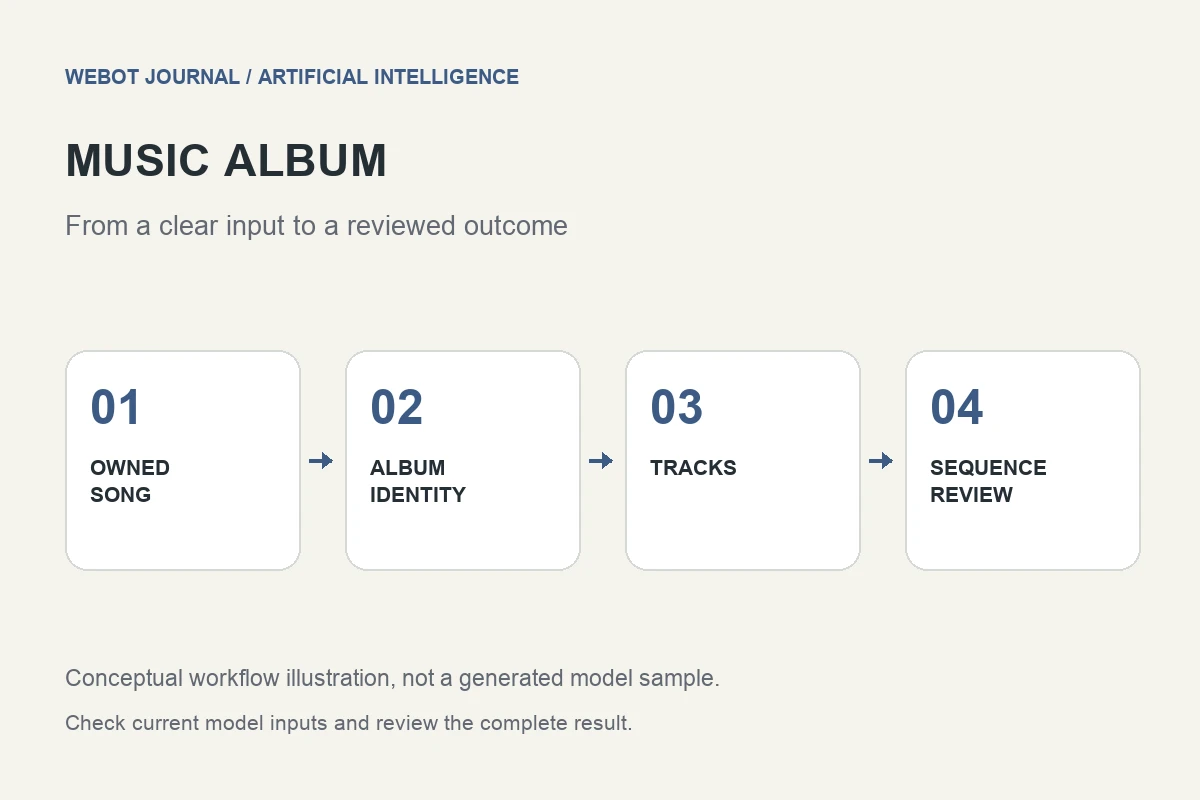
Turning a song into a musical album is an editorial and musical project, not a single conversion button. An album needs a recognizable identity, distinct tracks, a convincing sequence, clear audio delivery, and accurate release information. Artificial intelligence can assist with composition and exploration, but someone still has to decide what belongs together and what deserves to be left out.
Imagine you own a short original acoustic song and want to develop a six-track evening listening collection around its mood. You are not trying to duplicate a famous artist or disguise someone else’s recording. The goal is a new body of work with related instrumentation and emotional direction. This guide explains how to develop that idea into a reviewable album workflow.
1. Decide how the original song will be used
Your starting song can be a creative brief, an authorized audio reference, material for a supported editing workflow, or simply the first finished track. These uses are different. A reference may influence the character of a new composition without preserving its exact melody, arrangement, or recording. A remix or continuation requires a workflow that actually supports that operation.
Eleven Music documentation describes audio references as guidance for a new composition, alongside other composition capabilities. Check the currently selected model and its permitted inputs rather than assuming that uploading a song creates an album automatically. Keep the original recording and any permission records in the project folder. If you cannot establish how a source may be used, choose material whose production history you understand.
2. Write the album identity before generating tracks
Describe the collection in musical terms: intimate acoustic textures, restrained percussion, warm bass, limited vocal layering, and an evening mood. Decide whether the tracks tell a story, share a lyrical theme, or work as an instrumental listening environment. A coherent identity is more specific than asking for several songs in the same genre.
Create a short list of elements that should remain stable and elements that may vary. The acoustic palette might stay consistent while tempo, lead instrument, and arrangement density change between tracks. This balance prevents the album from sounding either disconnected or repetitive. A useful album brief helps you reject attractive candidates that do not belong in this particular release.
3. Give each track a different job
Plan a sequence of roles rather than six copies of the starting song. The opener can establish the palette, the second track can introduce rhythmic movement, a central track can create contrast, and a closer can resolve the listening experience. These are illustrative editorial roles, not a rule that every album must follow.
For each track, write its mood, intended structure, prominent instruments, and relationship to the surrounding pieces. An energetic middle track may need a gentler introduction if the preceding song ends quietly. A slower closer may work well if it feels conclusive rather than unfinished. The album becomes a collection of deliberate transitions instead of a folder sorted by generation date.
4. Turn the musical brief into useful prompts
A prompt might ask for a warm acoustic instrumental with fingerpicked guitar, soft brushed percussion, a restrained bass foundation, and a clear opening, development, and gentle ending. Another track can retain the palette while introducing a different lead or a more spacious arrangement. Explain the musical change you want rather than repeatedly using the same vague mood adjectives.
If lyrics are involved, review their meaning, pronunciation, repetition, and relationship to the album theme. A fluent vocal performance can still contain awkward or unintended wording. Keep original lyrics and revised versions organized. When a model offers composition plans or section editing, verify that feature for the selected endpoint; a capability in a provider’s product interface may not be available in every API integration.
5. Review complete tracks with a musical rubric
Listen from beginning to end before selecting a candidate. Check structure, intelligibility, balance, unwanted artifacts, abrupt transitions, and whether the ending sounds intentional. A strong ten-second excerpt does not establish that the rest of the track is ready. Review vocal passages separately when words or emotional delivery matter.
Then compare the track with the album brief. Does it share the intended sound world? Does it contribute something different from the other tracks? A technically clean song may still be the wrong choice for the collection. Save listening notes with timestamps and distinguish a composition problem from a mixing or export problem. That distinction helps you choose between regeneration, a supported local edit, and conventional audio production.
6. Sequence and compare at consistent listening levels
Listen to transitions between tracks instead of evaluating every song in isolation. A much louder track can appear more exciting simply because of level, and a sudden change of ambience can interrupt the flow. Use appropriate audio tools and a deliberate listening method when preparing level adjustments; do not mistake a rough volume match for professional mastering.
Consider silence, tails, introductions, and endings as part of the sequence. The transition should support the intended listening experience, whether the album uses clear gaps or a more continuous flow. Check the opening and closing tracks again after sequencing. Their jobs may change once the collection has a shape, and the original song does not automatically have to become the first track.
7. Prepare the release materials accurately
Keep track titles, credits, lyrics, artwork, and audio filenames consistent. Do not invent collaborators, production credits, recording locations, or performance histories. If the project includes generated material, maintain a clear production record and follow the current destination’s disclosure and delivery requirements. Those requirements should be checked at release time rather than copied from an old tutorial.
Artwork can extend the album’s identity without repeating every musical element literally. Choose a readable title treatment and review the cover at thumbnail size. Match the final audio format to the distributor, client, or listening platform. Listen to the exported files, not just the editor project, and ensure that no temporary version or unintended silence has replaced the approved master.
8. Budget for decisions, not just generation
Album work includes experimentation, rejected candidates, editing, listening, artwork, and delivery. Plan those activities before requesting large numbers of tracks. On WeBot, review the current supported music workflow and its credit estimate before dispatch. An accepted request that remains pending should not be duplicated merely because it has not finished when you expected.
A convincing AI assisted album is not defined by how many songs a tool can produce. It is defined by whether the tracks form a worthwhile listening experience. Use the original song as a clear starting point, give every new track a role, review the music completely, and finish the collection with careful sequencing and honest release information. That is how a single song becomes the basis of an album rather than a collection of unrelated outputs.
Sources and further reading
Put the guide into practice
Browse available workflows, review their supported inputs and choose a workspace for your next project.
Explore AI models