AI Images
AI Portrait Retouching with Natural Detail
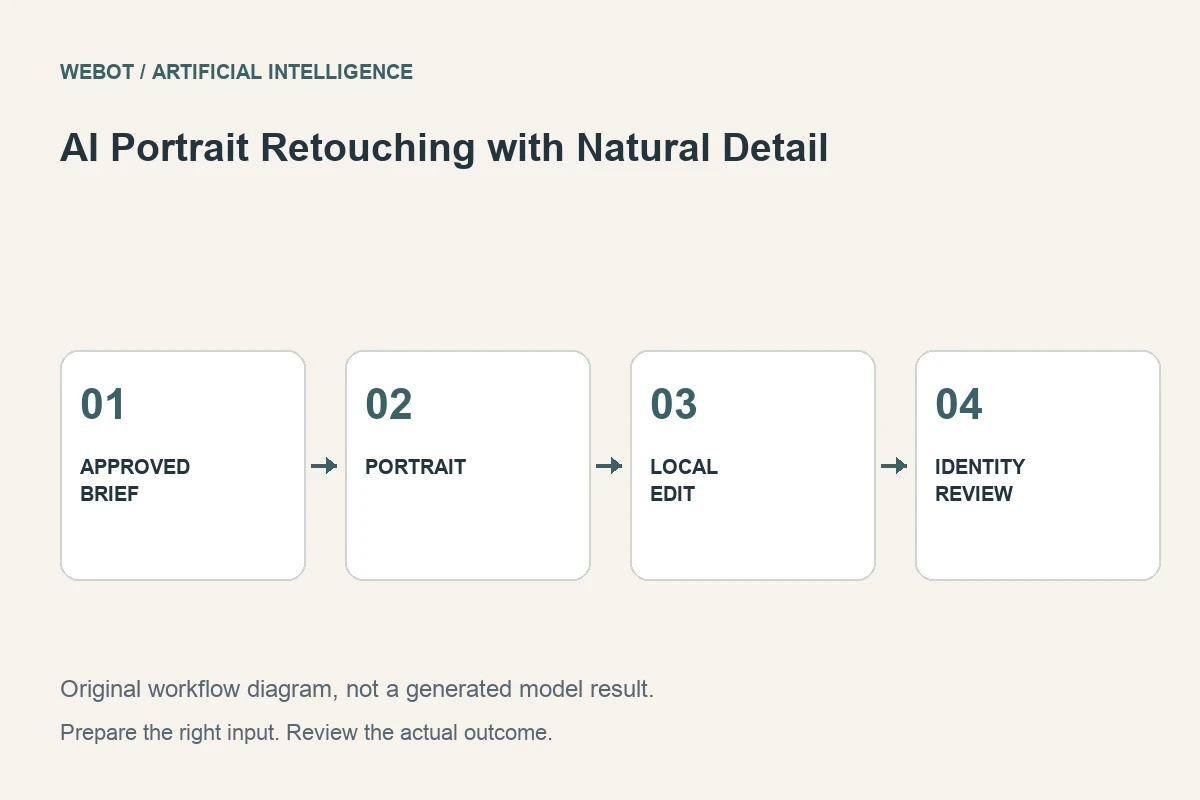
AI portrait retouching can help adjust selected visual qualities of a photograph, but the useful goal is not to remove every sign of a real person. Skin texture, expression, facial structure, and lighting carry identity. A successful edit supports the intended presentation while preserving the details the subject and project consider important.
Imagine a fictional speaker preparing a professional profile photograph. The request is to reduce a temporary distraction and improve presentation while retaining a recognizable, natural appearance. This guide explains how to define the edit, choose an appropriate workflow, inspect identity and texture, and deliver a portrait that remains faithful to its purpose.
1. Agree on what the portrait should communicate
Start with the intended use and the subject’s preferences. A formal profile, an artistic poster, and a casual team page can call for different treatments. Identify which changes are approved and which properties should remain stable. Expression, age cues, distinctive features, and facial proportions deserve explicit attention rather than being treated as generic defects.
For the speaker portrait, the brief might allow a temporary background distraction to be reduced and lighting to be adjusted modestly. It should not silently authorize a different face or a dramatically altered body shape. A clear brief makes the review respectful and practical. The question is whether the result serves this person’s presentation, not whether it resembles an abstract ideal face.
2. Begin with a suitable original photograph
Check focus, exposure, compression, and the visibility of important features. A severely blurred source gives limited evidence about fine facial detail. A model may create plausible texture, but plausible texture is not the same as verified recovery of the original person’s appearance. Choose a clearer accurate source when it is available.
Preserve the untouched original and keep preparation steps separate. Cropping, color conversion, or an earlier cleanup can affect later judgments about the AI edit. Review the source at the intended display size as well as a closer scale. A profile image needs readable expression and a stable silhouette, not necessarily an extreme level of fabricated microscopic detail.
3. Choose a task that matches the edit boundary
A local blemish adjustment, a background change, an overall visual treatment, and face reconstruction are different operations. Select a workflow whose documented inputs and behavior fit the approved change. A general image transformation may interpret the source more broadly than a targeted local edit.
Read the actual WeBot workspace and current endpoint information. Do not assume that a model’s portrait examples guarantee preservation for every face or every input condition. If a small conventional retouch can solve the issue precisely, compare that option before regenerating a larger region. The simplest method that preserves the brief’s essential properties is often the easiest one to evaluate and maintain.
4. Describe natural presentation in observable terms
A useful instruction can ask to retain facial structure and expression, preserve believable skin texture, and make a limited adjustment to the identified area. Explain what should change rather than asking the model to beautify the person without boundaries. Broad aesthetic language can invite unintended changes to identity or apparent age.
Avoid combining a modest correction with several dramatic style requests unless the subject has approved that direction. If you want an explicitly illustrated portrait, treat it as a separate creative use and review it accordingly. A natural profile photograph and an imaginative character rendering have different acceptance criteria, even when both begin with the same source file.
5. Compare identity and texture separately
Check the relationship between eyes, nose, mouth, jaw, ears, and hairline. Look for changes in expression or proportions that make the person less recognizable. Then inspect texture, edge quality, lighting, and local transitions. A smooth surface is not automatically a better result; excessive smoothing can remove information that makes the portrait feel natural.
Review both sides of the face and any area partly hidden by hair or accessories. Compare the output with the source rather than relying on memory. Small changes can be difficult to notice when evaluating a candidate alone. Record specific findings, such as a changed eyelid shape or an unnaturally smooth patch, so the revision addresses an observable issue rather than a vague preference.
6. Watch for unintended changes outside the target
Inspect clothing, jewelry, glasses, teeth, hands if visible, and background details. A portrait-focused operation can still alter neighboring elements. If a badge, logo, or distinctive accessory matters, verify it explicitly. An appealing face does not compensate for a changed professional identifier or an inaccurate item of clothing.
Check the edit boundary when a mask or local selection was used. Lighting and texture should transition coherently into the surrounding area. If the result changes important details repeatedly, reduce the edit scope or choose a more precise method. Approval should reflect the complete portrait and intended claim, not only the area that initially motivated the request.
7. Invite the subject’s review before final use
The person represented should be able to review meaningful changes where the project allows it. They may notice identity shifts that another reviewer misses or have preferences about features the editor considered unimportant. For the speaker, compare the crop beside the existing team portraits so the approved treatment fits the publication without imposing a different identity. Present the result in its intended context so they can assess the actual profile crop rather than an unrelated full-resolution view.
Keep versions and notes describing the approved treatment. If the subject requests a smaller change, preserve that decision rather than automatically applying the most aggressive available enhancement. This is not a contest to maximize processing. A useful retouch supports the person’s communication while making it clear which image was approved and which earlier alternatives were rejected.
8. Export a faithful and usable final portrait
Check dimensions, compression, color appearance, and cropping in the destination page or document. Avoid excessive sharpening during export, and inspect the finished file for artifacts that were not obvious in the editor. Retain the original, relevant settings, and approved output with appropriate access for the project.
Review the current credit estimate before a WeBot request and preserve accepted pending jobs during temporary connection interruptions. Natural portrait retouching is a controlled editorial task: agree on the change, use a suitable source, inspect identity and texture, and obtain the relevant approval. Artificial intelligence can assist that process, but it should not replace a clear understanding of whose appearance the image represents.
Sources and further reading
Put the guide into practice
Browse available workflows, review their supported inputs and choose a workspace for your next project.
Explore AI models