AI Video
AI Explainer Video Production
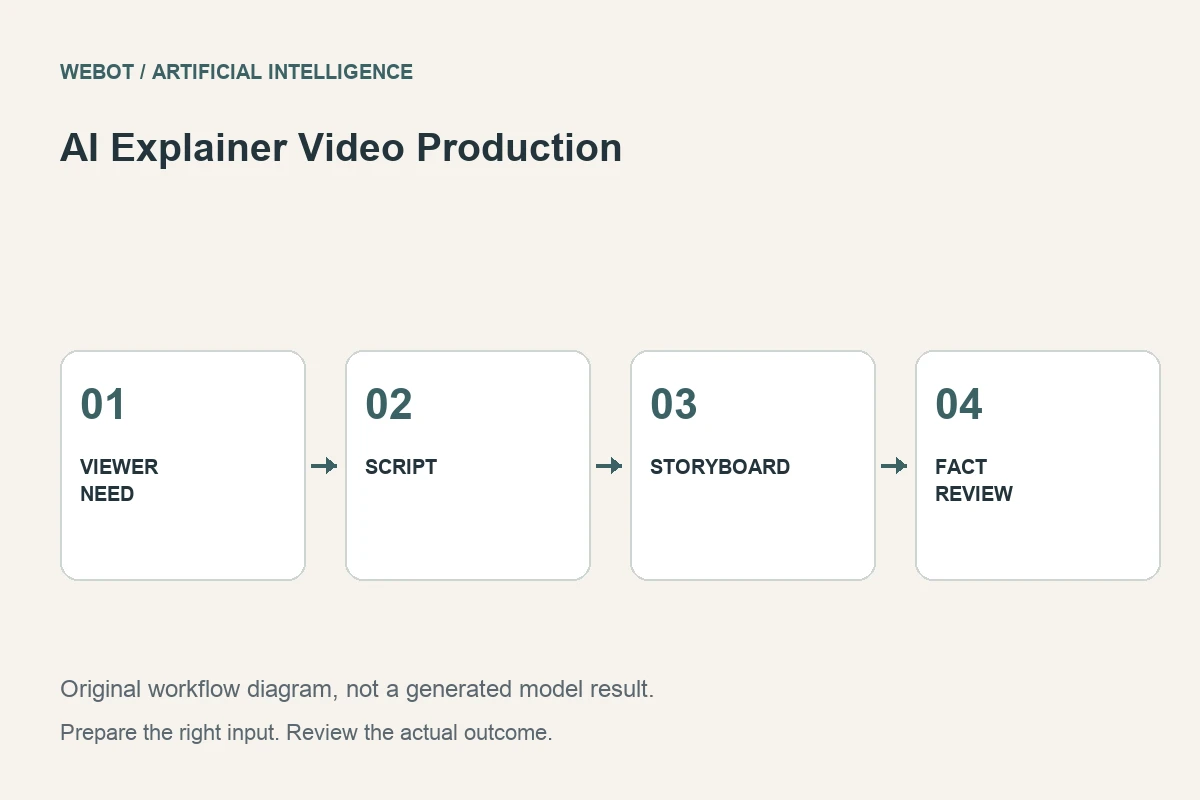
An explainer video helps a viewer understand an idea or take a useful next step. Artificial intelligence can assist with scripts, visual concepts, generated shots, narration, and other production elements. The main challenge is connecting those pieces into an accurate explanation. A collection of attractive clips is not automatically a coherent lesson.
Consider a fictional service that lets customers reserve a shared workspace. Its short explainer needs to communicate three steps: choose a location, select an available time, and receive a confirmed reservation. This guide follows that example to show how to plan the message, select appropriate visual methods, review the information, and deliver a video that explains rather than merely decorates.
1. Decide what the viewer should understand
Write the intended outcome in plain language. The workspace service wants a new customer to understand the reservation sequence and recognize that a proposed time is different from a confirmed booking. That is more specific than introducing the platform or making a modern promotional video.
Limit the first version to one central message. Extra features can make the sequence harder to follow, especially when each introduces new terminology. List the facts that must remain accurate and identify their source. If the service’s real process differs from the proposed story, correct the story before producing media. A visually fluent explanation can still teach the wrong procedure.
2. Build the script around the viewer’s questions
Start with the situation the viewer recognizes, then explain the next useful action. Use short, spoken sentences and concrete verbs. For the booking example, describe selecting a location and checking available times instead of relying on abstract language about optimizing a customer journey.
Read the script aloud and remove phrases that sound impressive without adding information. Check whether the listener can follow the sequence without reading the screen. If a condition matters, place it near the action it qualifies. A final disclaimer cannot reliably repair a misleading instruction earlier in the video. Script accuracy is the foundation for every visual and audio decision that follows.
3. Make a storyboard with a purpose for each shot
Assign each shot a communication job: establish the problem, demonstrate a step, show a result, or introduce the next action. The storyboard can be simple drawings or written scene descriptions. It should explain how the picture and narration work together rather than just list attractive visual styles.
For precise interface actions, use accurate current interface material or controlled motion graphics. A generated screen can invent buttons, wording, or workflow steps. Use generated imagery where synthesis is appropriate, such as an illustrative setting or conceptual scene. The production method should follow the information requirement instead of making every shot use the same AI model.
4. Choose the right input task for each asset
A text to image workflow can explore visual concepts; an image to video workflow can animate a suitable still; a text to video workflow can synthesize a scene; narration requires a speech workflow. These tasks solve different problems and may have different constraints. Check the current workspace for supported inputs rather than assuming a single endpoint handles the entire production.
For the workspace example, a generated establishing scene can introduce the setting, while a verified interface capture shows the reservation step. This division gives each asset a clear evidentiary role and keeps invented screen details out of the instructions. Keep a shot list that records the source material, intended action, target shape, and review criteria. If character or product identity must remain stable, decide how that information will be supplied. Treat each generation as one production element. The script, edit, and final communication remain responsibilities of the project, even when several assets are produced with artificial intelligence.
5. Use narration and on-screen text deliberately
The narration should carry the main explanation, while visual labels can reinforce important terms or steps. Avoid displaying a dense paragraph while simultaneously reading a different sentence. The viewer should not have to choose between competing streams of information to understand the message.
Add exact interface labels, prices, dates, and other critical wording in a dependable editing or layout system when needed. Review pronunciation and emphasis in generated speech. A sentence can be spoken fluently but imply the wrong meaning if an important condition receives no emphasis. Provide readable captions where appropriate and check that they remain usable on the intended screen size.
6. Review facts and continuity before polishing
Watch an early rough cut with the acceptance brief beside it. Does each step match the actual service? Does the visual show a proposal as a proposal and a confirmation as a confirmation? Are important conditions omitted? These questions matter before you spend time refining transitions and decorative details.
Then inspect audiovisual continuity: consistent characters, clear motion, stable interfaces, intelligible narration, and appropriate sound. A rough edit can reveal a missing explanatory step more effectively than reviewing polished shots separately. Record concrete findings and their location in the sequence. A request to make the video more engaging is less actionable than identifying where the viewer loses the connection between two steps.
7. Test the explanation with someone unfamiliar with it
Ask a reviewer to describe the process after watching without additional guidance. Listen for misunderstandings rather than coaching them toward the intended answer. If they think selecting a time automatically confirms the reservation, the video needs revision even if every visual element looks professional.
This is an editorial usability check, not a measured claim about conversion improvement. Use the feedback to simplify wording, adjust pacing, or add a necessary visual distinction. Keep versions of the script and edit together so a revised instruction does not leave an outdated caption behind. A useful explainer makes the unfamiliar process understandable without requiring the creator to narrate missing context afterward.
8. Deliver a complete and maintainable asset
Check the exported video in its intended player, including sound, captions, title placement, and the final call to action. Preserve the approved script, sources, project files, and generated assets. Record which facts may change so the organization can update the video when the underlying service changes.
On WeBot, inspect current capabilities and credit estimates for each selected request, and avoid ambiguous duplicate submissions during generation. The strongest AI explainer workflow starts with a clear audience question and finishes with a verified answer. Visual invention supports that answer; it does not replace factual review, coherent sequencing, or the responsibility to show the service as it actually works.
Sources and further reading
Put the guide into practice
Browse available workflows, review their supported inputs and choose a workspace for your next project.
Explore AI models