AI Video
AI Character Consistency Across Video Shots
Character consistency means that an audience can recognize the same character across a sequence, even as location, framing, and action change. In AI video production, it requires more than repeating a name in several prompts. Appearance, costume, proportions, props, behavior, and the edit all influence whether the sequence feels connected.
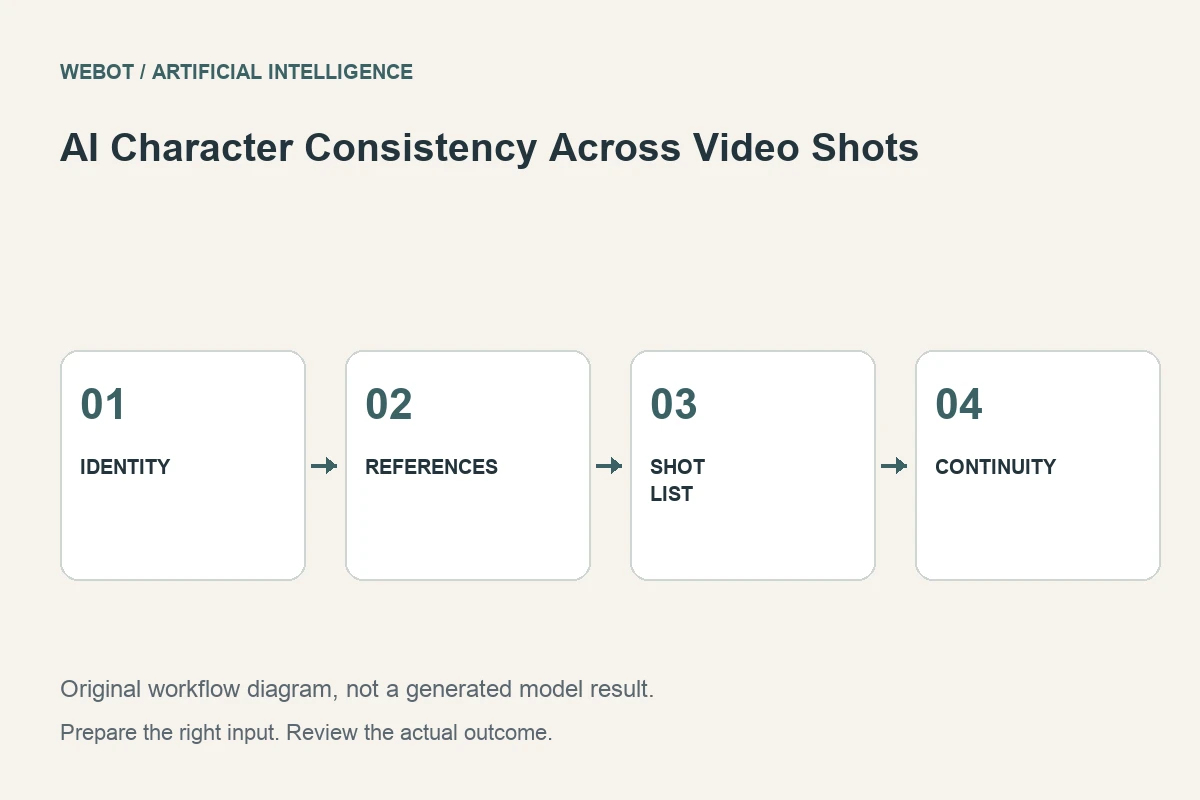
Imagine a fictional animated courier delivering a parcel across three scenes. The character wears a blue jacket and carries a distinctive shoulder bag. This guide explains how to establish a usable identity reference, plan shots around clear continuity requirements, review generated clips together, and diagnose changes before they spread through the production.
1. Define which traits establish identity
List the features a viewer relies on to recognize the courier. These might include face shape, hairstyle, jacket color, body proportions, and the bag’s design. Separate essential traits from details that can reasonably vary, such as a fold in the fabric or a temporary facial expression. This makes the review standard understandable.
Consistency is not one uniform property. A long shot may communicate identity through silhouette and costume, while a close-up exposes facial differences. Design the acceptance criteria around the shot. A sequence should not be approved merely because every clip contains a person in blue; it should preserve the particular visual relationships that make this character recognizable in the intended style.
2. Prepare references that agree with one another
Choose clean views that describe the same design. A front view and a side view can help clarify proportions, while a costume sheet can document important accessories. Remove accidental contradictions before generation. If the shoulder bag changes sides between drawings, decide which placement the production should use.
Record the version of the reference set. A later design correction can otherwise become difficult to distinguish from model variation. Check the actual reference capabilities of the chosen workflow; several uploaded images do not automatically receive the same role across endpoints. Additional references are useful when they clarify identity, not simply because the interface allows more files.
3. Keep the shot brief focused on action
Once the references establish appearance, the prompt should explain the scene’s action and framing. For example, the courier pauses beside a doorway, checks the parcel label, then looks toward the entrance. A medium view with restrained movement makes that action easier to evaluate than an elaborate camera sequence with multiple costume changes.
Describe the details that must stay stable without restating an entire design document in every sentence. If the bag needs to remain visible, make that an explicit shot requirement. Avoid introducing a new accessory through casual prompt wording. Small differences between briefs can become legitimate instructions to change the design, making the resulting inconsistency a planning problem rather than solely a model failure.
4. Track continuity beyond the face
A recognizable face does not establish complete scene continuity. Track which hand holds the parcel, how the bag is worn, the character’s direction of travel, and what happened immediately before the cut. These properties help the audience understand the action even when the character’s appearance is otherwise stable.
Build a simple shot record with location, action, costume state, props, and the expected beginning and ending. If the courier hands over the parcel, the next scene should account for that event. An AI model should not be assumed to remember another request unless the selected workflow explicitly provides that context. Your production notes connect independent clips into a coherent story.
5. Test representative difficulty early
Choose a test that includes a meaningful challenge: a turn away from camera, a partially hidden accessory, or an interaction with the parcel. A static frontal pose may look consistent while concealing problems that appear during action. Test before generating a large set of scenes built around the same fragile requirement.
If the difficult interaction repeatedly changes identity, redesign the shot or separate the action into clearer pieces. A close-up of the parcel label can replace an unstable handling sequence, for example. This is a normal storytelling decision. The aim is to communicate the event reliably, not to force every part of the story through the most difficult possible generated motion.
6. Review clips as a sequence
Watch adjacent shots together and compare them with the approved references. Look for changes in face, proportions, costume, accessories, visual style, and scale. A candidate can look convincing alone yet clash noticeably with the preceding shot. Evaluate the edit, not only isolated thumbnails.
Keep timestamped observations and distinguish design drift from continuity mistakes. A bag changing shape is different from the parcel appearing in the wrong hand. Both matter, but they suggest different corrections. Review normal playback first so you understand what the audience actually notices, then inspect specific frames where the defect begins. This prevents a single attractive frame from dominating the approval decision.
7. Revise the relevant input or production decision
If identity changes after a large viewpoint shift, try a more restrained move or a clearer alternative reference. If two clips differ because their prompts describe different costumes, correct the briefs. If the same difficult interaction remains unstable, consider editing around it or using another production method for that moment.
Save each candidate with its reference version, prompt, selected model, and supported settings. Generative variation means the record does not guarantee identical reruns, but it preserves the reasoning behind the production. Avoid changing every variable simultaneously. A revision should answer a concrete question, such as whether a clearer side view helps preserve the bag during a turn.
8. Preserve the approved design through delivery
Check final crops, color treatment, overlays, and edits for new inconsistencies. A vertical crop can hide an accessory that carried identity in the original composition. A heavy color adjustment can shift a distinctive costume toward a different palette. The final export therefore deserves its own sequence review after the generated sources have been approved.
In WeBot, verify current reference inputs, availability, and credit estimates before dispatch. Keep accepted pending jobs recoverable instead of submitting ambiguous duplicates. Character consistency is a production discipline supported by artificial intelligence: define identity, prepare compatible references, direct manageable actions, review clips together, and preserve the evidence needed to revise them. Maintain a final reference sheet alongside the approved edit so later campaign assets can follow the same design. A coherent character emerges from those connected decisions rather than from repetition of a name alone.
Sources and further reading
Put the guide into practice
Browse available workflows, review their supported inputs and choose a workspace for your next project.
Explore AI models